
High ping and latency on Wi-Fi turn simple tasks like video calls, online gaming, and streaming into a frustrating guessing game. Most of the time the cause is not the internet plan itself but something happening between the router and the device. This guide walks through the real causes of Wi-Fi latency and the exact steps that bring ping times back down to normal.
Key Takeaways
- Wi-Fi latency is usually caused by interference, channel congestion, or too much distance between the router and the device, not a slow internet plan.
- Switching to the 5GHz or 6GHz band almost always lowers ping compared to 2.4GHz.
- Router firmware, network drivers, and background apps eating bandwidth are common hidden culprits.
- A wired Ethernet connection remains the most reliable fix for anything latency-sensitive, like gaming or video calls.
- Small changes like updating drivers or switching Wi-Fi channels often fix the problem without buying new hardware.
Common Causes of High Ping and Latency on Wi-Fi
Before jumping into fixes, it helps to understand what actually drives latency up on a wireless network.
Wireless Interference and Channel Congestion
Wi-Fi shares airspace with neighboring routers, Bluetooth devices, cordless phones, and even microwaves. In apartment buildings especially, dozens of networks can be fighting over the same handful of channels, and that congestion shows up as inconsistent ping.

Distance and Physical Obstructions
Walls, floors, metal appliances, and even fish tanks weaken a Wi-Fi signal. A laptop sitting two rooms away from the router is working with a much noisier connection than one sitting in the same room.
Band and Frequency Choice
The 2.4GHz band travels farther but gets crowded easily and tends to carry higher latency. The 5GHz and newer 6GHz bands are faster and less congested, though they cover a shorter range.
Outdated Firmware or Drivers
Router firmware and wireless network adapter drivers both get performance and stability patches over time. Skipping updates leaves known bugs in place that can cause latency spikes.
Background Bandwidth Usage
Cloud backups, automatic game updates, smart home devices, and other people streaming on the same network all compete for airtime. Ping often looks fine until something in the background starts pulling bandwidth.
ISP and Network Congestion
Sometimes the bottleneck sits outside the home entirely, at the internet service provider’s network during peak hours.
How to Fix High Ping and Latency on Wi-Fi
The steps below move from the quickest checks to the more involved fixes. Working through them in order usually resolves the issue well before reaching the last few.
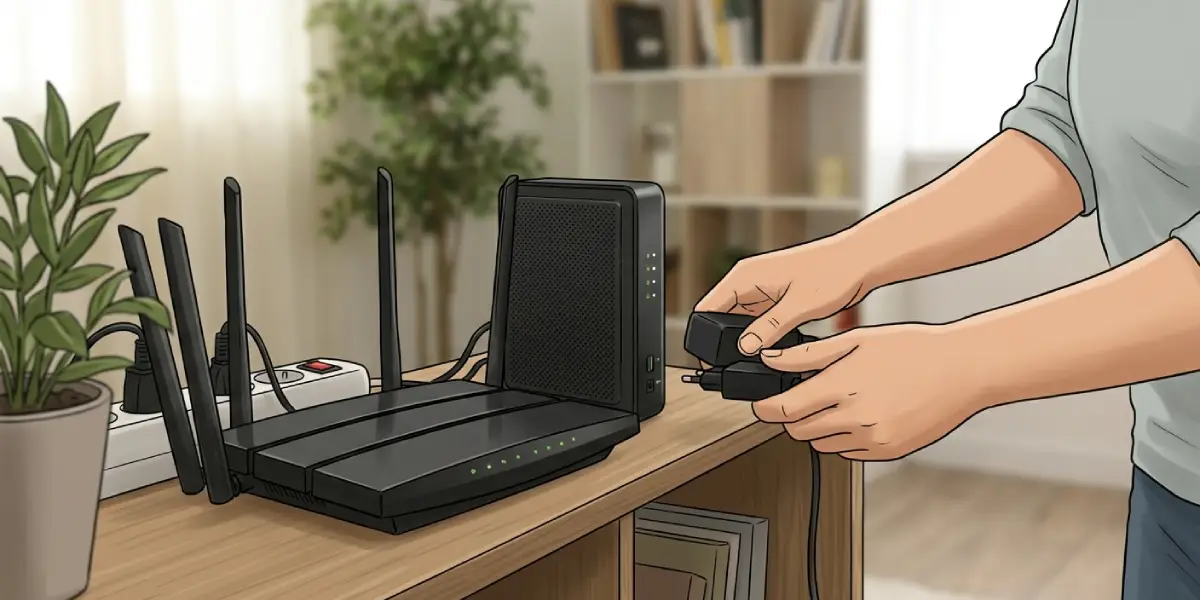
- Step 1: Restart the router and modem. Unplug both for about 30 seconds, plug the modem back in first, wait for it to fully reconnect, then plug the router back in. This clears temporary memory issues that build up over days or weeks of continuous uptime.
- Step 2: Move closer to the router or reduce obstructions between the device and the access point. Even shifting a laptop to the same room as the router can noticeably steady the connection.
- Step 3: Switch to the 5GHz or 6GHz band if the router and device both support it. Most routers broadcast separate network names for each band, or use band steering under one name in the router settings.
- Step 4: Change the Wi-Fi channel manually. Log into the router’s admin page, find the wireless settings, and switch from ‘Auto’ to a less crowded channel. On 2.4GHz, channels 1, 6, and 11 avoid overlap with each other.
- Step 5: Update the router’s firmware. This is usually found under an ‘Administration’ or ‘Firmware Update’ section in the router’s settings page, and it often resolves stability bugs tied to latency.
- Step 6: Update the device’s wireless network adapter driver through Device Manager on Windows or through macOS system updates. An outdated driver can cause dropped packets that show up as ping spikes.
- Step 7: Identify and pause background bandwidth users, such as cloud backup software, automatic downloads, or other devices streaming video at the same time.
- Step 8: Turn on Quality of Service (QoS) or a gaming mode in the router settings if available. This prioritizes latency-sensitive traffic like video calls and games over less time-sensitive traffic like downloads.
- Step 9: Try a different DNS server, such as a well-known public DNS provider, through the network adapter or router settings. A slow DNS server adds delay before a connection even begins.
- Step 10: Connect via Ethernet cable for anything latency-critical. Wired connections are simply more consistent than wireless ones, and this remains the most dependable fix when Wi-Fi latency keeps returning.
Tip: Run a ping test to a reliable server before and after each change. This turns troubleshooting into something measurable instead of guesswork, and it makes it obvious which step actually made a difference.
Common Problems and Fixes
Ping Is Still High After Changing the Channel
This usually means the interference is coming from something other than neighboring networks, such as a Bluetooth speaker, a baby monitor, or a smart home hub sitting near the router. Try relocating the router away from other electronics and re-test.
Latency Spikes Only Happen at Certain Times
Spikes that show up every evening or on weekends usually point to ISP-level congestion during peak usage hours rather than anything on the home network. Contacting the internet provider or checking their outage page is the next step.
Gaming Console Lags Despite a Fast Speed Test
A speed test measures download and upload throughput, not latency under load. Enabling QoS with the console prioritized, or switching it to a wired connection, typically resolves this even when speed tests look normal.
Wi-Fi Extender Makes Latency Worse
Extenders that operate in repeater mode add an extra wireless hop, which increases ping even as it improves signal strength. Switching to a mesh system, or running a wired backhaul to the extender, avoids this added delay.
Latency Returns a Few Days After a Router Restart
If restarting only fixes things temporarily, the router may be aging out or overloaded with too many connected devices. Reviewing the connected device list and retiring an old router that is several years old often solves this for good.
Frequently Asked Questions
What is a good ping for Wi-Fi?
For general browsing, anything under 50ms feels responsive. For online gaming or video calls, under 30ms is ideal, and consistency matters as much as the raw number.
Why is Wi-Fi ping higher than Ethernet?
Wireless signals travel through the air and are affected by interference, distance, and other devices sharing the same frequency, while Ethernet sends data through a dedicated cable with none of those variables.
Does changing the Wi-Fi channel actually reduce latency?
Yes, in crowded environments like apartment buildings, moving to a less congested channel can noticeably reduce both packet loss and ping spikes.
Should gaming devices use 2.4GHz or 5GHz Wi-Fi?
5GHz is almost always the better choice for gaming when the signal is strong enough to reach the device, since it carries less interference and lower latency than 2.4GHz.
Can a VPN increase Wi-Fi latency?
Yes, a VPN routes traffic through an additional server before it reaches its destination, which adds some latency. Choosing a VPN server closer to the actual destination usually minimizes the impact.
Why does ping spike only during online gaming?
Games send frequent small packets that are especially sensitive to network congestion, so background bandwidth use or Wi-Fi interference that goes unnoticed during casual browsing becomes obvious during gaming.
Does router placement really affect latency?
Yes, placing the router in a central, elevated location with minimal obstructions significantly improves signal quality, which in turn reduces retransmissions and latency.
How often should router firmware be updated?
Checking for firmware updates every few months is a reasonable habit, since manufacturers regularly patch stability and performance issues that affect latency.
Is high ping always the router’s fault?
Not always. It can also come from ISP congestion, an outdated network driver on the device, or bandwidth-heavy background applications, so it is worth ruling out each of these before assuming the router is the problem.
Will a mesh Wi-Fi system fix high latency?
A mesh system can help in larger homes by keeping devices closer to an access point, but only if the mesh nodes are connected with a wired backhaul or placed to minimize extra wireless hops.
