
Knowing how to fix time and date resetting in Windows saves a lot of daily annoyance, from failed website logins to broken software licenses. In most cases the cause is a worn-out CMOS battery, though a stalled Windows Time service, a wrong time zone, or a dual-boot setup can produce the same symptom. The steps below sort out which cause applies and how to fix it.
Key Takeaways
- A clock that jumps back to an old default date after the PC loses power almost always points to a dead CMOS battery.
- A clock that is only a few minutes or a few hours off usually points to a sync, time zone, or dual-boot problem instead.
- Desktop CMOS batteries are typically a CR2032 coin cell and take only a few minutes to swap.
- Windows settings, the Windows Time service, and the BIOS should all be checked after the fix to confirm it holds.
Common Causes
Two different clocks are involved. The hardware clock lives on the motherboard and is kept alive by a small coin cell when the PC is unplugged. The Windows clock reads that hardware clock at startup and then corrects itself over the internet. A fault in either one makes the time reset.
- A dead or weak CMOS battery, which causes the date to fall back to a factory default every time power is removed.
- The Windows Time service being stopped, disabled, or corrupted, so the clock never syncs.
- Automatic time settings turned off, or the wrong time zone selected.
- A dual-boot setup with Linux, where each system reads the hardware clock differently and shifts the time by several hours.
- An outdated BIOS that fails to save the date correctly, which is rare but possible.
Tip: Check the pattern first. A date that falls back to a very old year after a shutdown is a hardware symptom. A time that is simply a few hours wrong is almost always a software or time zone symptom.
Before You Start
The software fixes need nothing but Windows. Replacing the CMOS battery is a physical task, so a little preparation keeps the job safe.
- Shut the PC down completely, unplug the power cable, and on a laptop disconnect the main battery if it is removable.
- Touch bare metal on the case or use an anti-static strap to discharge static before touching the motherboard.
- Gather a new CR2032 3V lithium coin cell (check the old one first, since a few boards use a different size), a small Phillips screwdriver, and a plastic pry tool or fingernail to release the battery.
- Optional: a multimeter to test the old battery.
Opening a laptop or a prebuilt PC can affect the warranty, and some laptops hide the CMOS battery under the motherboard or solder it in place. If the battery is not easy to reach, stop and let a professional handle it.
How to Fix Time and Date Resetting in Windows Step by Step
Work through these steps in order. Start with the quick software checks, then move to the hardware fix if the date still resets after a power loss.
- Step 1: Confirm the symptom. Shut the PC down, unplug it for a few minutes, then start it again and check the clock. If the date has fallen back to an old default, go straight to Step 5. If the time is only slightly off or wrong by whole hours, continue with Step 2.
- Step 2: Fix the Windows date and time settings. Open Settings, go to Time and language, then Date and time. Turn on ‘Set time automatically’ and ‘Set time zone automatically’, or choose the correct time zone by hand if automatic detection picks the wrong one. Then click ‘Sync now’ under Additional settings.
- Step 3: Restart the Windows Time service. Press the Windows key, type services.msc, and open it. Find ‘Windows Time’, open its properties, set the startup type to Automatic, and click Start. If the service refuses to start, move to the next step.
- Step 4: Re-register the time service. Open Command Prompt as administrator and run these commands one at a time: ‘net stop w32time’, then ‘w32tm /unregister’, then ‘w32tm /register’, then ‘net start w32time’, and finally ‘w32tm /resync’. This clears a corrupted configuration without touching any personal files.
- Step 5: Replace the CMOS battery. With the PC off, unplugged, and static discharged, locate the round silver coin cell on the motherboard. Note which side faces up, release the small retaining clip with a plastic tool, and lift the old cell out. Insert the new one the same way, with the same side facing up, and press it until it seats firmly. Never use a metal screwdriver to pry it out, because a slip can short the board.
- Step 6: Reset the date in the BIOS. Replacing the battery wipes the saved BIOS settings. Start the PC, enter the BIOS or UEFI setup with the key shown at startup (often Delete, F2, or F10), set the correct date and time, and restore any custom settings such as boot order or XMP. Save and exit.
- Step 7: Fix the dual-boot clock conflict if Linux shares the PC. Windows expects the hardware clock to hold local time, while many Linux distributions store UTC. The simplest fix is to tell Linux to use local time. If Windows must be changed instead, open Registry Editor, go to HKEY_LOCAL_MACHINE\SYSTEM\CurrentControlSet\Control\TimeZoneInformation, and create a DWORD (32-bit) value named RealTimeIsUniversal set to 1. Back up the registry first, since a wrong edit can cause other problems.
- Step 8: Update the BIOS only if the date still resets with a fresh battery. Download the update from the motherboard or laptop manufacturer’s own support page for the exact model, follow its instructions, and never interrupt the power during the update. A failed flash can leave the device unable to boot, so skip this step if the other fixes already worked.
- Step 9: Test the result. Shut the PC down, unplug it for at least several minutes, plug it back in, and boot. A correct date and time after a full power loss confirms the fix.
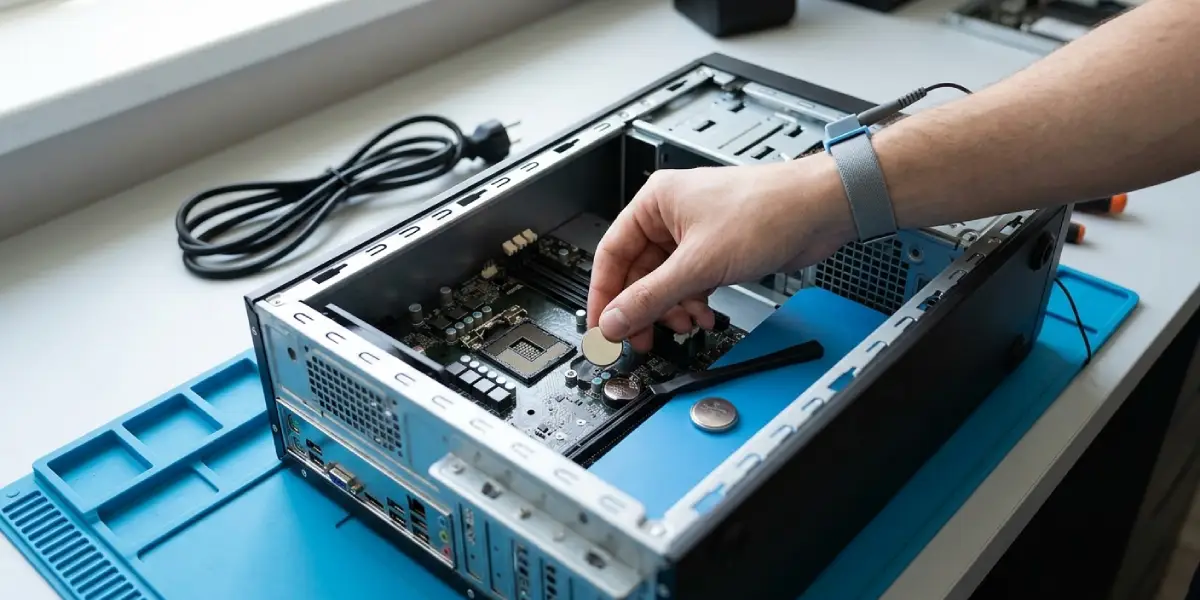
Tip: When a laptop battery cannot be removed, many models still have a separate small CMOS cell on a short cable. Check the manufacturer’s service manual for the exact location before opening anything.
How to Tell the CMOS Battery Is Dying
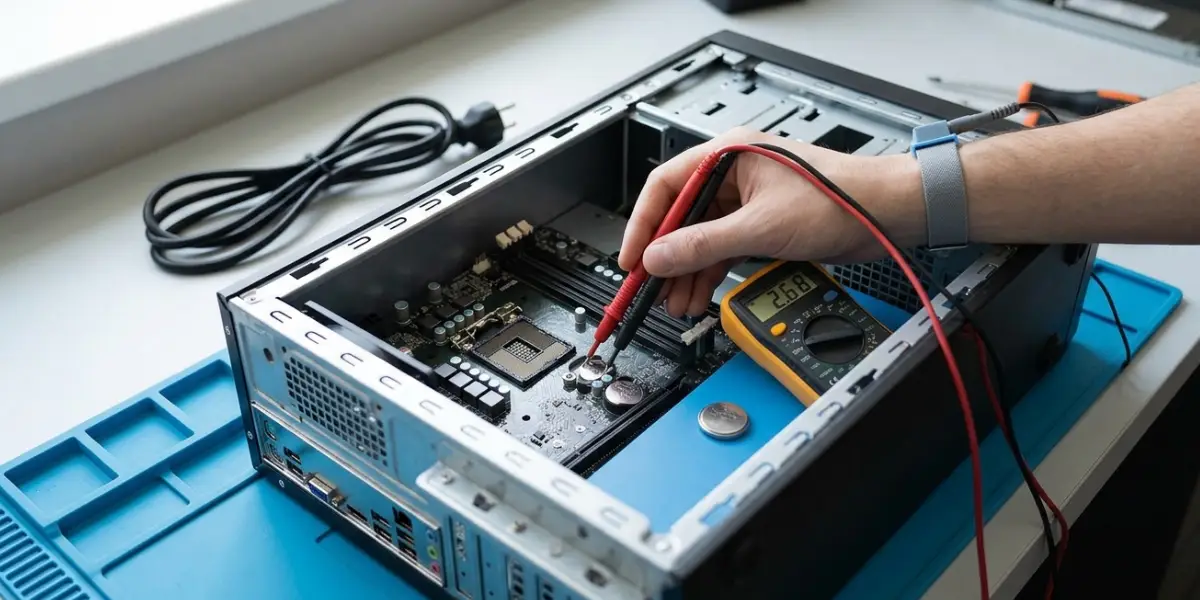
Besides the date reset, a weak cell often shows up as a ‘CMOS checksum error’ or a prompt to press a key to load defaults at startup, along with BIOS settings that revert after each power loss. A multimeter reading noticeably below the cell’s rated 3V also marks it as worn out. The cell is cheap, so replacing it is usually easier than testing it.
Common Problems and Fixes
The date still resets after replacing the battery
Check that the new cell sits flat in the holder and faces the right way up. If it does and the problem remains, try another new cell, since a fresh one can occasionally be faulty. If a second cell fails too, the motherboard or its BIOS may be at fault, and a BIOS update or professional diagnosis is the next move.
The PC shows a CMOS or BIOS error after the swap
That message is normal after a battery change because the BIOS settings were wiped. Enter the BIOS, load the optimized defaults, set the date and time, and save. Reapply any custom settings afterward.
The time is correct in the BIOS but wrong in Windows
This points to a time zone mismatch or a dual-boot clock conflict. Recheck the time zone in Settings and apply the Linux or registry fix from Step 7 if another operating system is installed.
The time drifts by a few minutes over days
Sync is not running properly. Re-register the Windows Time service as described in Step 4, then open Control Panel, go to Date and Time, choose the Internet Time tab, and change the server to time.windows.com or another trusted time server before syncing again.
Sync now fails with an error
A firewall, a VPN, or a blocked network port can stop the sync request. Disable the VPN briefly, confirm the internet connection works, and try the sync again after restarting the Windows Time service.
Frequently Asked Questions
Why does my computer date and time keep resetting every time I turn it off?
The most common reason is a dead CMOS battery. The motherboard relies on that coin cell to keep the hardware clock running while the PC is unplugged, so a worn cell lets the date fall back to a default.
How long does a CMOS battery last?
Typically several years, though the exact lifespan depends on the battery quality and how often the PC is left unplugged. Machines that sit without power for long stretches wear the cell out sooner.
Can a dead CMOS battery stop a PC from booting?
Usually not. The PC normally still starts, but it may show a CMOS or checksum error, reset BIOS settings to defaults, and ask for a key press before continuing.
Is it safe to replace the CMOS battery on a desktop myself?
Yes, when the PC is shut down and unplugged, static is discharged, and a plastic tool is used to release the cell. Avoid metal tools near the board, and stop if the battery is hard to reach or the warranty is a concern.
Will replacing the CMOS battery delete my files?
No. Personal files live on the storage drive and are not affected. Only the BIOS settings, including the date and time, are reset and need to be entered again.
Why is the time wrong in Windows after using Linux?
Windows and many Linux distributions read the hardware clock differently, with one expecting local time and the other UTC. Setting both systems to use the same method corrects the offset of several hours.
Why does the clock stay correct while plugged in but reset after unplugging?
Standby power from the power supply can keep the hardware clock running while the PC is plugged in. Once that power is cut, a weak CMOS battery can no longer hold the time, which is a strong sign that the cell needs replacing.
How can the CMOS battery be checked without replacing it?
A multimeter can measure the cell, and a reading well below its rated 3V suggests it is worn out. Repeated date resets after a full power loss and CMOS error messages at startup also point to a failing battery.
Why does Sync now fail or the time drift slowly in Windows?
The Windows Time service may be stopped or corrupted, or a firewall or VPN may be blocking the sync request. Restarting or re-registering the service and choosing a different time server usually restores normal syncing.
