
Knowing how to fix audio reverb or room effect on mic input starts with finding out whether the echo comes from the room, the settings, or a feedback loop. Most cases trace back to one of three things: a mic picking up too much of the room, an audio effect switched on in software, or speaker sound leaking back into the mic. The fixes below are ordered from fastest to most involved.
Key Takeaways
- Reverb on a mic usually comes from distance, gain, or a hard-surfaced room, not from a broken microphone.
- Software effects such as ‘Listen to this device’, audio enhancements, or voice changers can add a room-like sound on their own.
- Moving the mic closer, lowering input gain, and using headphones solve most cases in minutes.
- Soft furnishings and a directional mic reduce room sound at the source, which software cannot fully undo.
- Noise suppression cleans up hiss and background noise, but true reverb is best prevented before it is recorded.
Common Causes of Reverb or Room Effect on a Mic
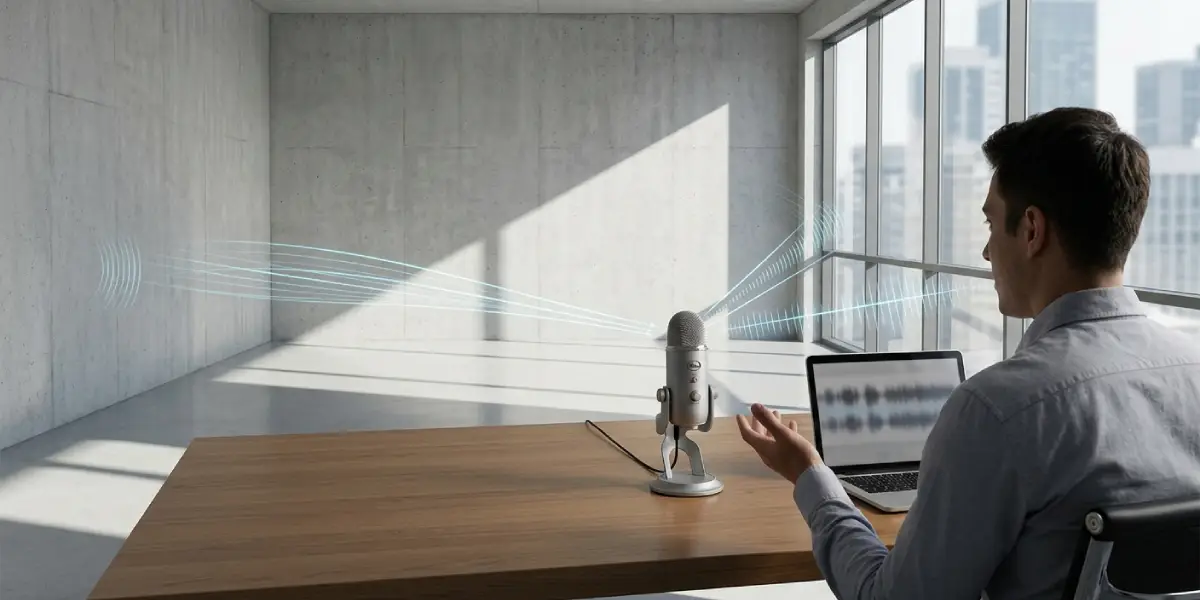
Reverb is the sound of the voice bouncing off walls, ceilings, desks, and windows, then reaching the mic a split second after the direct voice. Think of shouting in an empty hallway versus a carpeted bedroom. The same mic sounds very different in each.
- Mic too far from the mouth: The farther the mic sits from the speaker, the more room sound it captures compared with direct voice.
- Input gain set too high: High gain boosts quiet room reflections along with the voice.
- Hard, empty room: Bare walls, glass, tile, and wooden floors reflect sound instead of absorbing it.
- Omnidirectional or wide pickup pattern: Some mics, including many built-in laptop mics and some conference mics, listen in all directions.
- Software monitoring or effects: ‘Listen to this device’, a sound-card effect, or a voice-changer app can add echo or a hall-like effect.
- Speaker audio feeding back into the mic: Remote voices or music from speakers get picked up again and sent back, which others hear as an echo of themselves.
Step-by-Step Fixes: How to Fix Audio Reverb or Room Effect on Mic
Work through these in order and test the mic after each step with a quick recording or a call to a friend. Stopping at the step that solves the problem saves time.
- Step 1: Switch to headphones. If the echo is heard by other people on a call, speaker sound is likely leaking into the mic. Wearing headphones or earbuds removes that loop immediately.
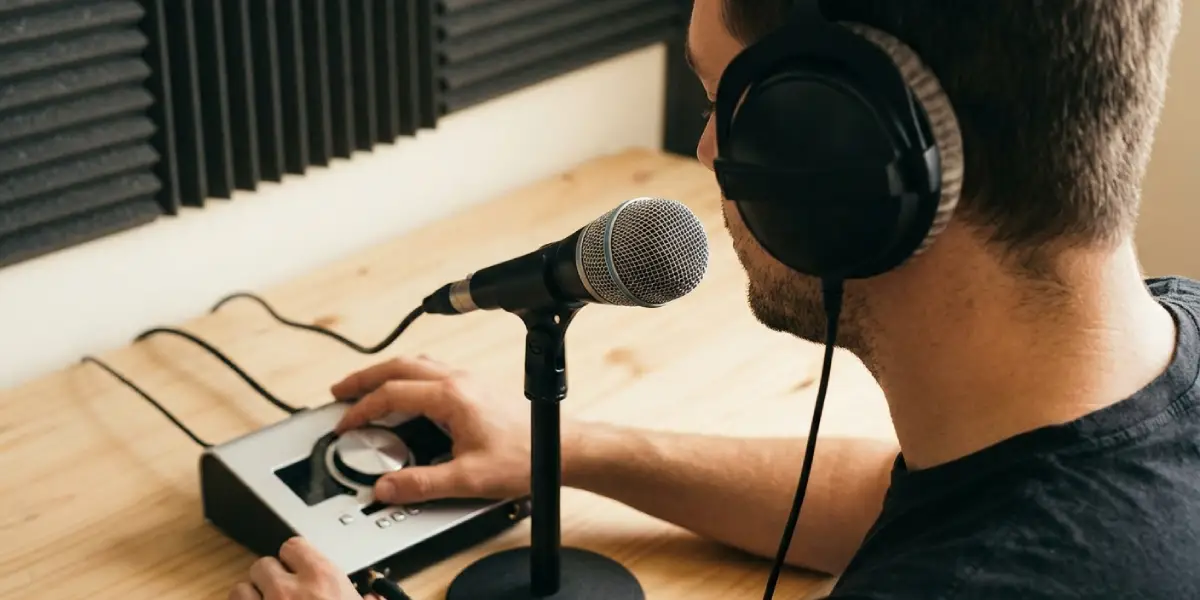
- Step 2: Move the mic closer. Place the mic roughly a hand’s width from the mouth and slightly off to the side or below to reduce breath pops. Closer placement makes the voice louder than the room, which reduces the room effect more than any setting.
- Step 3: Lower the input gain. On Windows, open Settings, then System, then Sound, select the microphone under Input, and reduce the input volume. On a USB or XLR interface, turn down the gain knob. Aim for a strong voice without needing high gain to be heard.
- Step 4: Turn off ‘Listen to this device’. Open the classic Sound control panel, go to the Recording tab, double-click the microphone, open the Listen tab, and make sure ‘Listen to this device’ is unchecked. When it is on, the mic plays back through the speakers and creates an echo loop.
- Step 5: Disable audio enhancements and effects. In the same microphone properties window, check the Advanced and Enhancements tabs, or the Audio enhancements setting in Windows Settings, and turn off any room, echo, or environment effect. Then test again. Some drivers and companion apps from sound card makers add their own effects, so open that app as well and switch effects off.
- Step 6: Check for conflicting apps. Voice changers, virtual audio cable tools, and mixing apps can add effects or route audio twice. Close them one at a time and test to find the source.
- Step 7: Choose the right pickup pattern. If the mic has a pattern switch, select cardioid. A cardioid pattern favors sound from the front and rejects much of what comes from behind, which cuts room sound significantly.
- Step 8: Treat the room. Soft surfaces absorb reflections. Close the curtains, add a rug, hang a blanket behind the mic or behind the listening position, or move the desk away from bare walls and glass. Recording in a room with a bed, sofa, or full bookshelf usually sounds better than an empty room.
- Step 9: Use suppression tools carefully. Apps such as Zoom, Microsoft Teams, and Discord have built-in noise suppression, and NVIDIA Broadcast offers room echo removal on supported NVIDIA graphics cards. On a Mac, Voice Isolation mic mode is available in supported apps from the menu bar while the app is using the mic. Start with the lightest setting, since heavy processing can make a voice sound thin or robotic.
- Step 10: Clean up recordings afterward when needed. For recorded audio that is already echoey, dedicated de-reverb tools such as the de-reverb module in iZotope RX or Adobe’s Enhance Speech feature can reduce the effect. Results vary, and prevention at the source always sounds more natural.
Tip: Clap once near the mic in the room. If a short ringing tail follows the clap, the room itself is reflecting sound, and treatment or closer mic placement will help the most.
Built-In Laptop Mics
Laptop mics sit close to the keyboard and fan, and they listen widely, so they pick up the whole room. Using a headset or a small external USB mic placed near the mouth is the most dependable upgrade. If an external option is not possible, sitting closer to the laptop and lowering the volume of the speakers helps.
Dynamic vs Condenser Mics
Dynamic mics are generally less sensitive and pick up less distant room sound, which makes them forgiving in untreated rooms when used close to the mouth. Condenser mics capture more detail and more of the room, so they benefit more from treatment and careful placement.
Tip: A pop filter or foam windscreen also reminds the speaker to keep a steady distance from the mic, which keeps the voice consistent and the room quieter in comparison.
Common Problems and Fixes
The Echo Is Still There After Turning Off Effects
Check whether the echo is in the actual mic signal or comes from the other person’s side. Record a short clip using a basic recorder app. If the clip is clean, the echo is happening in the call app or on the other end, so ask the other person to use headphones.
Others Hear Their Own Voice Back
This happens when the listener’s speakers play the call and their mic picks it up again. The fix is on their side: headphones or lower speaker volume. Enabling echo cancellation in the call app can also help.
The Voice Sounds Hollow or Boxy
That sound usually means the mic is too far away or the room is small and bare. Move closer, reduce gain, and add soft materials near the mic.
The Effect Returns After a Restart or Update
Driver updates and companion sound apps can switch enhancements back on. Recheck the enhancement settings and the sound card app after updates.
Noise Suppression Makes the Voice Sound Robotic
Aggressive suppression removes parts of the voice along with the room sound. Lower the suppression level, or turn it off and fix the room and distance instead.
A USB Mic Still Sounds Echoey on a Different Computer
If the echo follows the mic to another computer, the cause is the room, the placement, or the gain on the mic itself, not the software on the original PC.
Frequently Asked Questions
Why does my mic sound like I am in a bathroom or large hall?
The mic is capturing too many reflections from hard surfaces compared with the direct voice. Moving the mic closer, lowering gain, and adding soft furnishings reduces that sound.
Can software remove reverb from a mic in real time?
Some tools, such as NVIDIA Broadcast on supported graphics cards and the noise and echo suppression built into call apps, can reduce room echo live. They work best as a helper alongside good placement, not as a replacement for it.
Why do other people hear an echo of their own voice during calls?
Their voice plays from your speakers and is picked up again by your mic. Using headphones or turning down speaker volume stops the loop.
Does turning off ‘Listen to this device’ fix echo?
It does when that setting is the cause. With it enabled, the mic plays through the speakers and can feed back into the mic, so unchecking it in the Listen tab of the microphone properties is a quick first check.
Is a cardioid mic better for reducing room sound?
Yes. A cardioid pattern favors sound from the front and rejects much of the sound from the sides and rear, so it picks up less of the room than an omnidirectional mic.
How close should the mic be to my mouth?
A hand’s width is a good starting point for most desktop and stand mics. Adjust slightly to balance a full voice against breath and plosive sounds, and use a pop filter if needed.
Will acoustic foam fix reverb by itself?
Foam helps with high-frequency reflections, but it works best combined with close mic placement and soft furnishings. Thick curtains, rugs, and blankets are often just as useful and cost less.
Can I remove reverb from a recording after the fact?
Partly. De-reverb tools such as the one in iZotope RX or Adobe’s Enhance Speech feature can reduce it, but heavy processing can affect voice quality. Recording cleaner in the first place gives better results.
Why does my laptop mic sound more echoey than a headset?
A laptop mic sits farther from the mouth and listens broadly, so it picks up more of the room. A headset mic stays close to the mouth, which keeps the voice dominant.
