
Knowing how to clean dust filters on a PC case is one of the simplest ways to keep a computer cool and quiet. Clogged filters choke airflow, push temperatures up, and let dust settle on the parts that matter. The whole job usually takes about ten minutes.
Key Takeaways
- Dust filters should be cleaned on a regular schedule, and more often in dusty homes or homes with pets.
- Most filters can be removed and cleaned without opening the case or touching any internal components.
- A soft brush, a vacuum, or lukewarm water with a drop of mild dish soap is enough for most filters.
- Filters must be completely dry before going back on the case.
- Never run water over the inside of the case or over any electronics.
Before You Start
Shut the PC down completely, switch off the power supply, and unplug the power cable from the wall. Move the case to a well-lit spot, ideally outdoors or near a window, so loosened dust does not land on a desk or floor. Touch a bare metal part of the case before handling anything inside to discharge static.
Tools and Materials
- Soft-bristled brush or an old, clean paintbrush
- Vacuum cleaner with a brush attachment
- Microfiber or lint-free cloth
- Mild dish soap and lukewarm water
- A clean towel for drying
- Optional: compressed air, used in short bursts
Opening the case is not required for most filters, so warranty concerns rarely come up. If a filter is attached with screws or rivets that are hard to reach, or the case needs to be disassembled to remove it, check the case manual first or ask a professional.
Step-by-Step: How to Clean Dust Filters on a PC Case
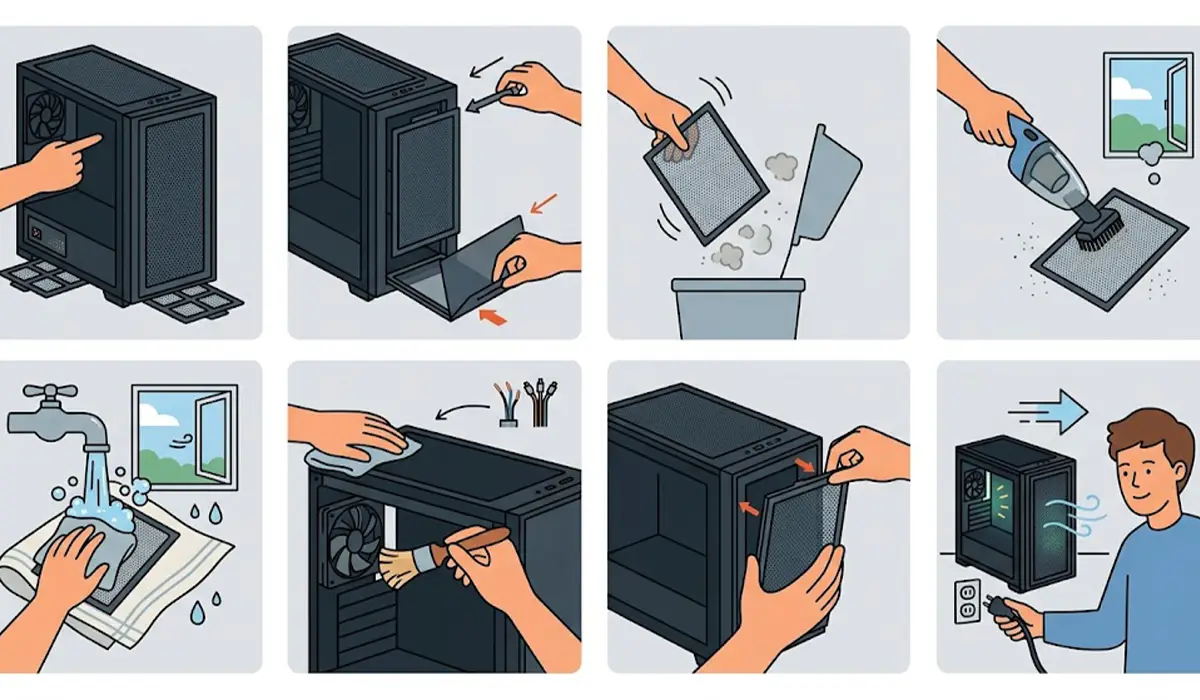
- Step 1: Locate every filter on the case. Common spots are the front intake panel, the bottom over the power supply, the top panel, and sometimes the side panel. Many cases have more than one, and the bottom filter is the one most often forgotten.
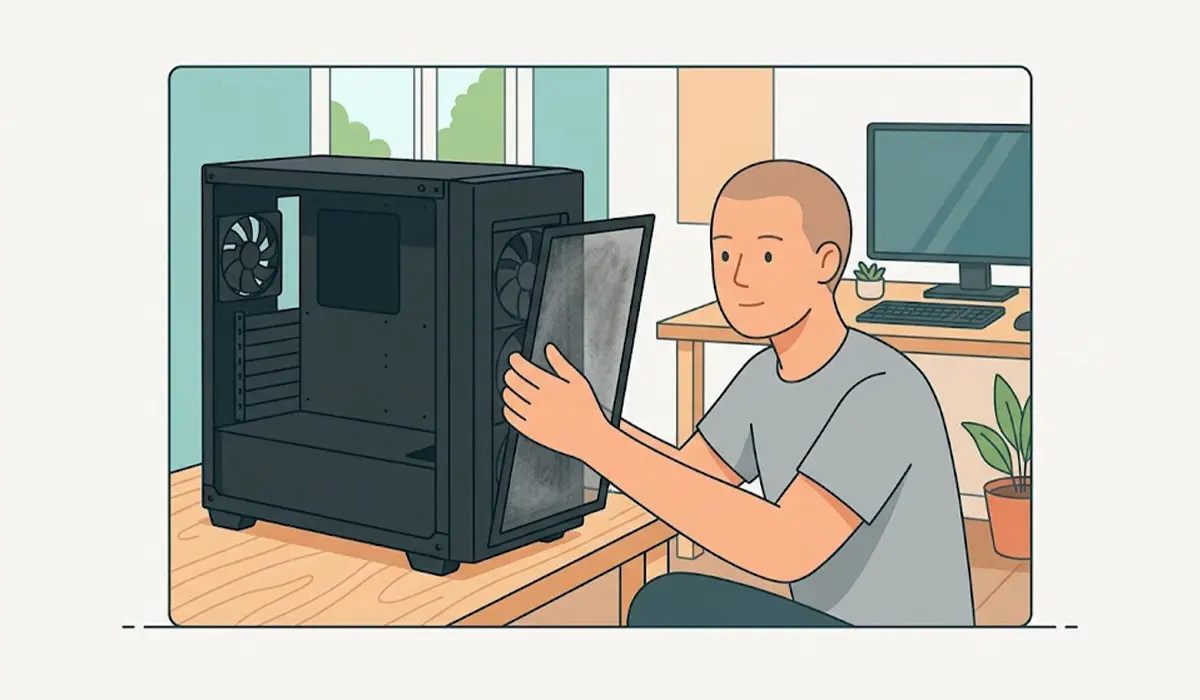
- Step 2: Remove each filter. Slide-out filters pull free from a rail, magnetic filters lift off, and clip-on filters release with gentle pressure on the tabs. Some front filters sit behind a removable front panel that pops off with light force. Check the case manual if a panel does not move easily.
- Step 3: Shake or tap off the loose dust, then brush the surface lightly with the soft brush. Work in one direction and avoid pressing hard, since mesh can bend or tear.
- Step 4: Vacuum both sides of the filter with the brush attachment. This pulls out the fine dust that brushing leaves behind.
- Step 5: For stubborn grime, such as the greasy film common in kitchens or smoking households, rinse the filter under lukewarm water with a drop of mild dish soap. Rub gently with fingers or a soft cloth, then rinse until the water runs clear. Skip this step for any filter that is permanently attached to a panel with electronics or cables nearby.
- Step 6: Shake off the excess water, pat the filter with a microfiber cloth, and let it air dry completely on a clean towel. A filter that feels dry to the touch can still hold moisture in the frame, so allow extra time for plastic frames and foam edges.
- Step 7: While the filters are out, wipe the filter openings and the surrounding panel edges with a dry microfiber cloth. If dust is visible on the fan blades nearest the opening, a quick pass with the soft brush clears it without opening the case.
- Step 8: Reinstall each filter once it is fully dry. Make sure it seats flat, the magnets or clips engage, and no edge is lifted. A gap lets unfiltered air and dust slip straight past.
- Step 9: Plug the PC back in, power it on, and listen for fan noise that sounds normal. Airflow should feel smoother, especially at the front intake.
Tip: Clean filters in the order of airflow. Start with the intake filters, since they collect the most dust, and finish with any exhaust filters, which are usually far cleaner.
How Often to Clean PC Case Dust Filters
The right schedule depends on the room. A quick look every month is a good habit, and a full cleaning every one to three months suits most homes. Rooms with carpet, pets, open windows, or heavy foot traffic collect dust faster, so those setups benefit from more frequent checks. The simplest test is visual: if the mesh looks gray or fuzzy, it is due for a cleaning.
Signs a Filter Needs Attention
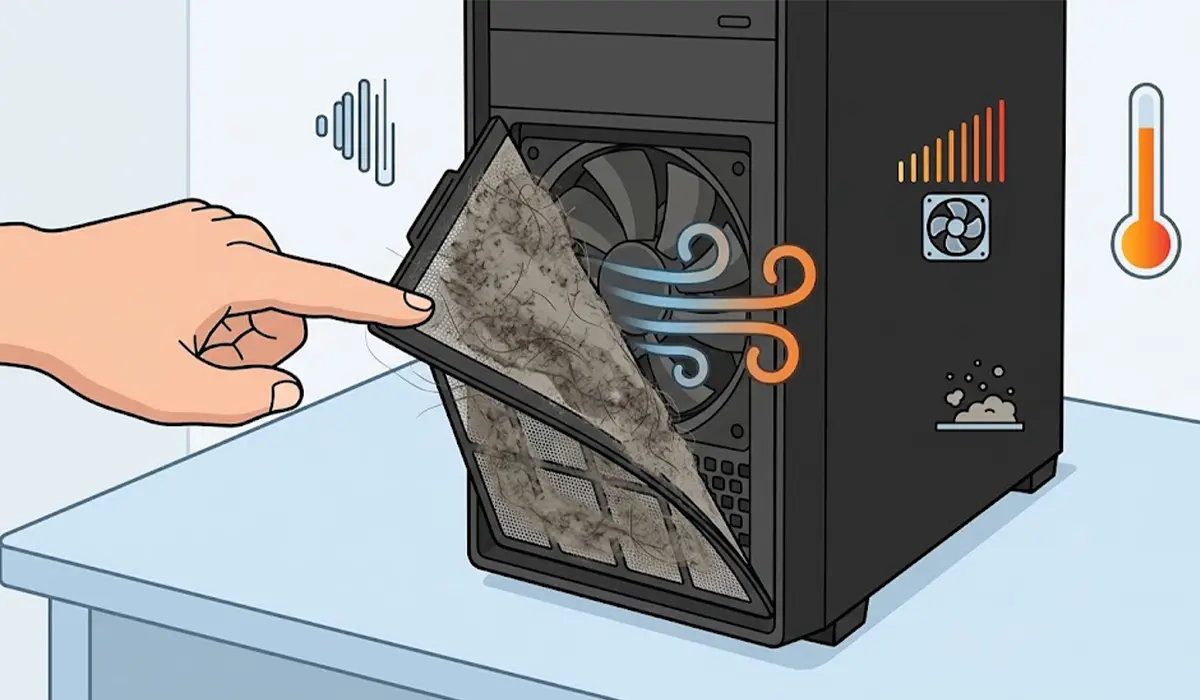
- A visible layer of lint, hair, or dust on the mesh
- Fans running louder than usual to move the same air
- Components running warmer than they did when the PC was new
- Dust building up inside the case faster than expected
Tip: Keep a spare filter set if the case manufacturer sells one. Swapping in a dry set lets the freshly washed filters dry without leaving the PC unprotected.
Common Problems and Fixes
The filter will not come off
Check whether it is a slide-out, magnetic, or clip-on design before pulling. Some are held by small tabs that need a gentle squeeze, and some sit behind a front panel that has to be removed first. Forcing a filter bends the frame, so consult the case manual if it resists.
The mesh is torn or warped
Damaged mesh no longer filters well and cannot be repaired reliably. Replacement filters are sold by many case makers, and universal magnetic filters in standard fan sizes are an option for cases that lack a model-specific part.
Dust is still getting into the case
Look for gaps around the filter edges, a filter seated crooked, or open vents with no filter at all. Also check for dust entering through uncovered openings, since air takes the easiest path in. Reseating the filter flat usually fixes it.
A greasy or sticky film will not brush off
Dry brushing cannot lift oily residue. A brief wash in lukewarm water with a drop of mild dish soap handles it, followed by a thorough rinse and a full air dry.
The PC runs warm even after cleaning
Filters are only one part of the airflow path. Dust on heatsinks, fan blades, and the power supply intake also holds heat in. If temperatures stay high after the filters are clean, the next step is a careful internal cleaning of the fans and heatsinks, or a check from a technician.
Frequently Asked Questions
Can dust filters be washed with water?
Yes, most removable nylon or plastic mesh filters can be rinsed with lukewarm water and a little mild dish soap. Let them dry completely before reinstalling, and keep water away from the inside of the case.
How often should PC case dust filters be cleaned?
A monthly check and a cleaning every one to three months works for most homes. Dusty rooms, pets, and carpeted floors call for more frequent cleaning.
Do dust filters really improve PC cooling?
Clean filters keep dust out of the case and let fans pull in air with less restriction. A clogged filter has the opposite effect and can make a PC run warmer and louder.
Can compressed air be used on dust filters?
Compressed air can blow loose dust off a filter, ideally outdoors and in short bursts. A soft brush and vacuum remove dust more thoroughly and more safely for thin mesh.
Is it safe to clean dust filters while the PC is on?
No. Shut the PC down and unplug it first. Spinning fans can catch brushes, cloths, and fingers, and loosened dust can be pulled straight into the case.
How long should filters dry before going back on?
Until they are completely dry, including the frame and edges. Moisture trapped in a frame can reach components, so waiting longer is safer than rushing.
What happens if the dust filters are never cleaned?
Airflow drops, dust collects on heatsinks and fans, temperatures climb, and fan noise increases. Over time, this can shorten the life of components and lead to thermal throttling.
Do all PC cases have removable dust filters?
No. Many modern cases include them on the front, top, or bottom, but some budget or older cases have only fixed mesh panels or no filters at all. In that case, add-on magnetic filters in standard fan sizes can help.
Is it better to replace or clean a dust filter?
Cleaning is enough for filters in good condition. Replace a filter only when the mesh is torn, warped, or no longer holds its shape.