
Knowing how to identify POST beep codes on motherboard hardware turns a dead-looking PC into a solvable problem. Those short and long beeps are the board’s way of reporting what failed during the Power-On Self-Test, even when the screen stays black. The trick is listening carefully, knowing which BIOS the board uses, and matching the pattern to the right chart.
Key Takeaways
- POST beep codes are patterns of short and long beeps that report a hardware fault found during startup.
- The meaning of a pattern depends on the BIOS maker (commonly AMI, Award, or Phoenix), so the same pattern can mean different things on different boards.
- A board only beeps if a speaker or buzzer is connected to its speaker header or built into the board.
- The motherboard manual is the most reliable source for decoding a pattern.
- Many newer boards use debug LEDs or a Q-code display instead of beeps, so check for those too.
Before You Start
Identifying beep codes is mostly listening and matching, but a few quick checks may involve opening the case. Power off the PC, unplug the power cable, and touch bare metal on the case to discharge static before reaching inside. Let any hot parts cool first. Opening a case can affect the warranty on some prebuilt systems, so check the terms before removing panels.
The tools and materials needed are minimal:
- The motherboard manual (or the model number to look it up on the manufacturer’s support page)
- A phone to record the beeps
- A flashlight for reading the board’s markings
- A small case speaker or buzzer, if the board has no built-in one
How to Identify POST Beep Codes on Motherboard Step by Step
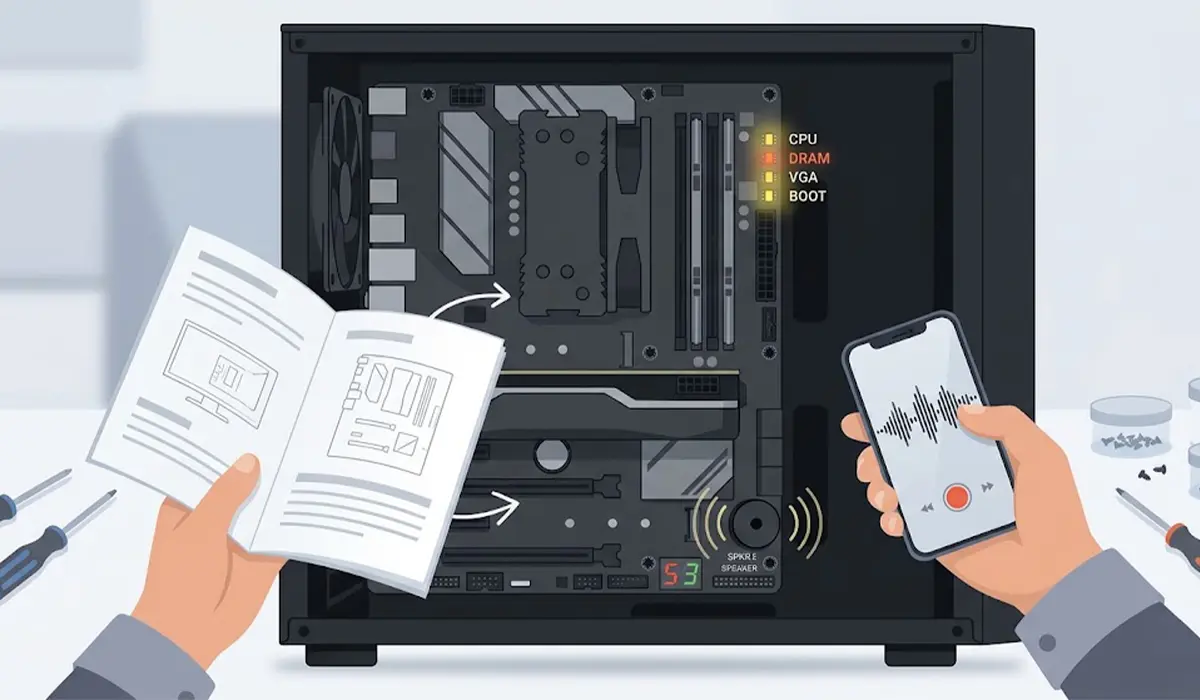
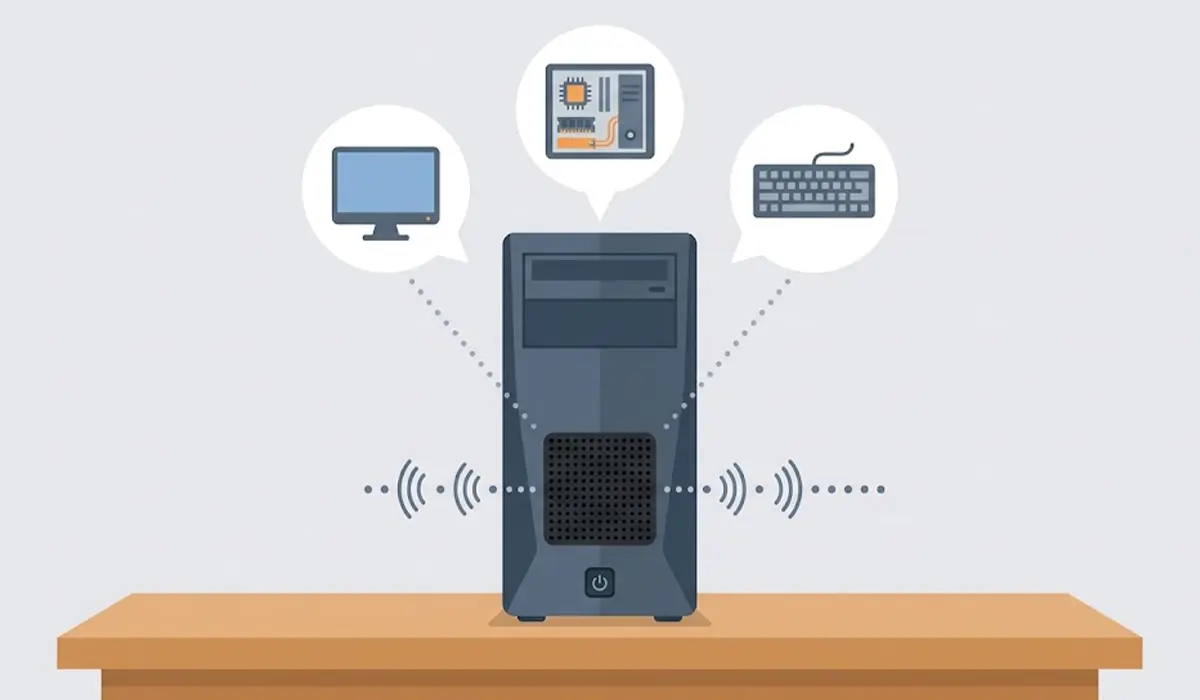
- Step 1: Confirm the PC can actually beep. Many cases include a small internal speaker connected to a pair of pins labeled SPEAKER, SPK, or similar near the front panel header. Some boards have a buzzer soldered on. Modern boards often include neither, and in that case the PC stays silent no matter what fails.
- Step 2: Find the motherboard model and BIOS maker. The model name is usually printed on the board between the expansion slots or near the CPU socket. The BIOS maker (AMI, Award, or Phoenix) is shown on the startup screen, in the manual, or on the manufacturer’s support page for that model.
- Step 3: Power the PC on and listen closely. Count the beeps, note which are short and which are long, and pay attention to pauses between groups. A pattern like three short beeps repeated is different from one long beep followed by three short ones. Recording the sound on a phone makes it easier to count again later.
- Step 4: Match the pattern to the correct chart. Use the chart in the motherboard manual first. If the manual has no chart, use the one published by the BIOS maker. Never use a chart for a different BIOS, because the meanings do not carry over.
- Step 5: Check for debug LEDs or a Q-code display. Many boards have small status lights labeled CPU, DRAM (or MEM), VGA, and BOOT. Higher-end boards may show a two-character code on a small display. The light that stays lit, or the code shown, points to the failing stage and confirms what the beeps suggest.
- Step 6: Write down the matched meaning and fix the matching component. A memory error calls for reseating the RAM, a video error calls for reseating the graphics card, and so on. Restart and listen again to confirm the pattern has changed or disappeared.
Tip: Count the beeps at least twice before looking anything up. Miscounting by one beep is the most common reason a chart seems to give the wrong answer.
Common Beep Patterns by BIOS Maker
These patterns are the widely published ones for classic BIOS firmware. Treat them as a starting point, since the manual for the exact board always has the final word.
AMI BIOS
- One short beep: the system passed POST and is starting normally on many boards.
- Two or three short beeps: a memory problem, such as a faulty or poorly seated RAM module.
- Four short beeps: a system timer fault.
- Five short beeps: a processor error.
- Six short beeps: a keyboard controller fault.
- Eight short beeps: a video memory read or write failure.
- One long beep followed by three short beeps: a memory failure.
- One long beep followed by eight short beeps: a video test failure.
Award BIOS
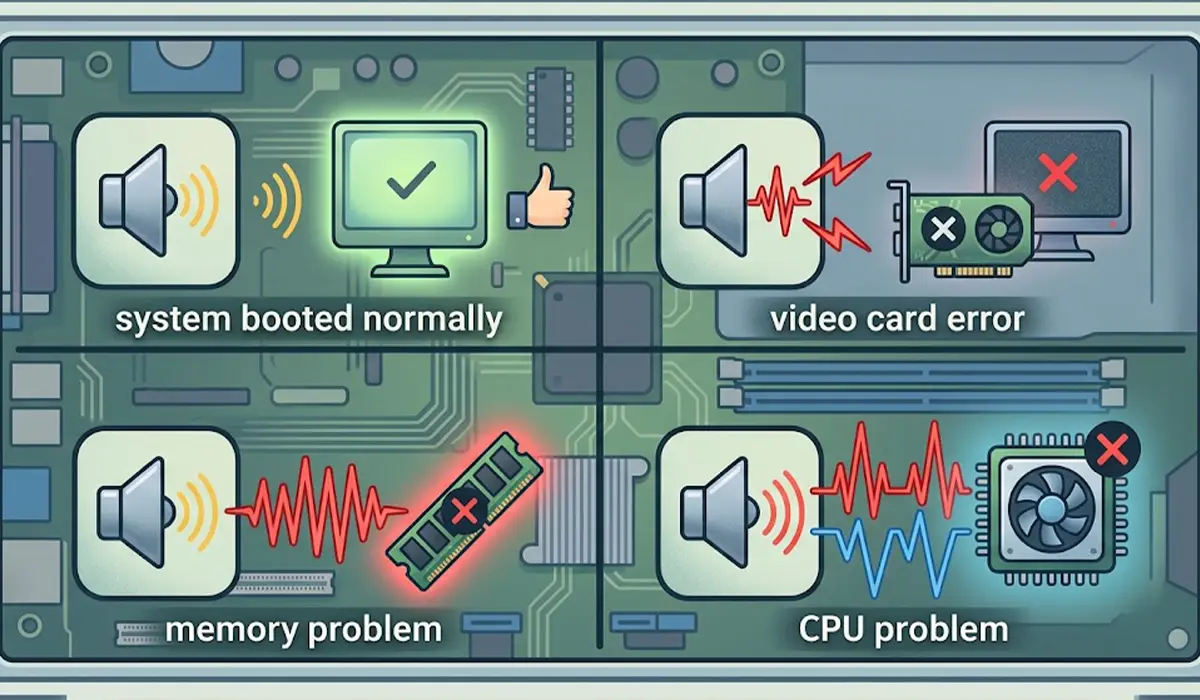
- One short beep: the system booted normally.
- One long beep followed by two short beeps: a video card or display error.
- A continuous long beep: commonly points to a memory problem.
- A repeating high and low tone: commonly points to a CPU problem.
Phoenix BIOS
Phoenix BIOS uses coded sequences with pauses, written as groups such as 1-2-3. Each number is a count of beeps, and the pauses separate the groups. Because these sequences are long and board-specific, the manual or the manufacturer’s chart is the safest reference.
Tip: Boards from major brands often reuse a vendor-customized chart. If the manual and a generic chart disagree, follow the manual.
Common Problems and Fixes
No beeps at all
Silence usually means no speaker is connected, or the board has no buzzer. Check the speaker header, connect a small case speaker, and listen again. If a speaker is connected and the PC still gives no sign of life, check the power cables to the motherboard and CPU, since the board cannot beep without power.
One short beep but no display
A single beep often means POST finished. The problem then sits in the display chain. Reseat the graphics card, check the monitor cable, and make sure the cable goes into the graphics card output rather than the motherboard output when a dedicated card is installed.
Continuous or repeating beeps
This commonly points to memory or power-related trouble. Power off, unplug the PC, and reseat the RAM modules firmly until the clips click. Try one module at a time in the slot the manual recommends first.
The pattern does not match any chart
Confirm the BIOS maker again and look at the manual for the exact board model. Some manufacturers use their own patterns that differ from the standard AMI, Award, and Phoenix charts.
Beeps started after a hardware change
A new part or a disturbed cable is the most likely cause. Undo the last change, reseat the affected component, and test again. If the pattern persists after reseating everything involved, stop and have a qualified technician inspect the board, since a damaged board or socket needs professional repair.
Frequently Asked Questions
What are POST beep codes?
POST beep codes are patterns of short and long beeps a motherboard produces during the Power-On Self-Test. Each pattern reports the result of the startup checks, with a single short beep commonly meaning everything passed and other patterns pointing to a hardware fault.
Why does my motherboard not beep at all?
The most common reason is that no speaker or buzzer is connected. Many modern boards and cases leave it out. Connecting a small case speaker to the speaker header allows the board to produce beeps.
How do I know which BIOS my motherboard uses?
The BIOS maker is typically shown on the startup screen, listed in the motherboard manual, or noted on the manufacturer’s support page for the exact board model.
Is one short beep good or bad?
On many boards one short beep means the system passed POST and is booting normally. If the screen stays blank afterward, the issue is usually with the display connection or graphics card rather than the board.
What does a continuous beep mean?
A continuous beep commonly points to a memory or power-related fault, although the exact meaning depends on the BIOS maker. Reseating the RAM is the most useful first check.
Can bad RAM cause beep codes?
Yes. Faulty or poorly seated RAM is one of the most frequent causes of beep codes, which is why many charts include several memory-related patterns.
Do all motherboards use beep codes?
No. Many newer boards rely on debug LEDs or a Q-code display instead of beeps, and some have no speaker support at all. The manual explains which method the board uses.
Where can I find the beep code chart for my motherboard?
The motherboard manual is the best source, and the manufacturer’s support page usually offers it as a download. If the manual has no chart, the BIOS maker publishes a general one.
