
80 Plus PSU ratings explained in plain terms: the badge on a power supply tells how efficiently it turns wall power into the power a PC can use. It does not measure how good, quiet, or safe the unit is. Knowing the difference helps avoid overspending on a badge or trusting one too much.
Key Takeaways
- An 80 Plus rating measures efficiency only, meaning how much wall power reaches the PC instead of being lost as heat.
- The levels, from lowest to highest, are 80 Plus, Bronze, Silver, Gold, Platinum, and Titanium.
- Gold is the practical sweet spot for most builds. Platinum and Titanium cost more and mainly pay off in heavy, long-running systems.
- The rating says nothing about build quality, protections, noise, or wattage, so a good review still matters.
- Efficiency is highest at medium load, so a PSU sized close to the real power draw of the PC performs best.
What an 80 Plus Rating Actually Means
A power supply converts AC power from the wall into the low-voltage DC power that components use. Some energy is always lost in that conversion, and it leaves as heat. Efficiency is the share of wall power that makes it through.
A simple example shows the effect. A PC that needs 500 watts of DC power from a PSU running at 90 percent efficiency pulls roughly 556 watts from the wall. The same PC on an 85 percent efficient unit pulls roughly 588 watts. The extra draw is wasted as heat inside the PSU, which also means more fan work and more warmth in the case.
The 80 Plus program tests units at set load points and awards a level when the unit meets the minimum efficiency at each point. The original standard requires at least 80 percent efficiency at 20, 50, and 100 percent load, which is where the name comes from.
80 Plus PSU Ratings Explained: The Full Level Breakdown
The figures below are the minimum efficiencies for standard 115V, non-redundant desktop power supplies at 20, 50, and 100 percent load. Titanium is also tested at 10 percent load. Units sold for 230V regions are held to slightly different numbers, but the order of the levels stays the same.
- 80 Plus (white): 80 percent at 20, 50, and 100 percent load. This is the entry level and is common in budget and prebuilt systems.
- 80 Plus Bronze: 82 percent at 20 percent load, 85 percent at 50 percent, and 82 percent at 100 percent.
- 80 Plus Silver: 85 percent at 20 percent load, 88 percent at 50 percent, and 85 percent at 100 percent. Silver is rare in the retail market.
- 80 Plus Gold: 87 percent at 20 percent load, 90 percent at 50 percent, and 87 percent at 100 percent.
- 80 Plus Platinum: 90 percent at 20 percent load, 92 percent at 50 percent, and 89 percent at 100 percent.
- 80 Plus Titanium: 90 percent at 10 percent load, 92 percent at 20 percent, 94 percent at 50 percent, and 90 percent at 100 percent.
Tip: The gap between neighboring levels is only about 2 to 3 percentage points at the sweet-spot load. That is why the jump from Bronze to Gold matters far more in practice than the jump from Platinum to Titanium.
What the Rating Does Not Tell You
Quality and protection
A badge does not guarantee clean voltage, low ripple, solid capacitors, or good safety circuits. Two Gold units can differ a lot in internal build and in how well they protect the components in a PC. Reading independent reviews of the specific model is the reliable way to judge this.
Wattage
The rating has no link to how much power a unit can deliver. A 450 watt Gold unit and a 1000 watt Gold unit are equally efficient on paper, but only one suits a high-end graphics card.
Noise
Efficiency does reduce heat, and less heat can mean a slower fan. Fan design, fan curve, and bearing type still decide how quiet the unit actually is.
How to Choose the Right 80 Plus Rating
This process keeps the decision practical instead of chasing the highest badge available.
- Step 1: Estimate the real power draw of the PC. Add up the typical gaming or work load of the processor and graphics card, then allow some room for the rest of the parts. A manufacturer power calculator can help with the estimate.
- Step 2: Pick a wattage that puts that typical load near the middle of the unit’s range. Efficiency peaks around 50 percent load, so a PSU that is far too large will often run in a less efficient zone at idle and light use.
- Step 3: Match the rating to how the PC is used. Bronze suits a light office or budget build. Gold suits most gaming and general desktops. Platinum or Titanium make sense for workstations, servers, or machines that run at high load for many hours a day.
- Step 4: Compare reviews for the shortlisted models. Look for notes on voltage stability, protections, and fan noise, not just the badge.
- Step 5: Check the warranty length. A longer warranty usually reflects the confidence of the maker in the internal components.
Tip: A higher rating only saves money if the saved electricity outweighs the higher purchase price. For a PC used a few hours a day, the payback from Platinum or Titanium over Gold can take a very long time, or may never arrive.
How to Verify an 80 Plus Rating
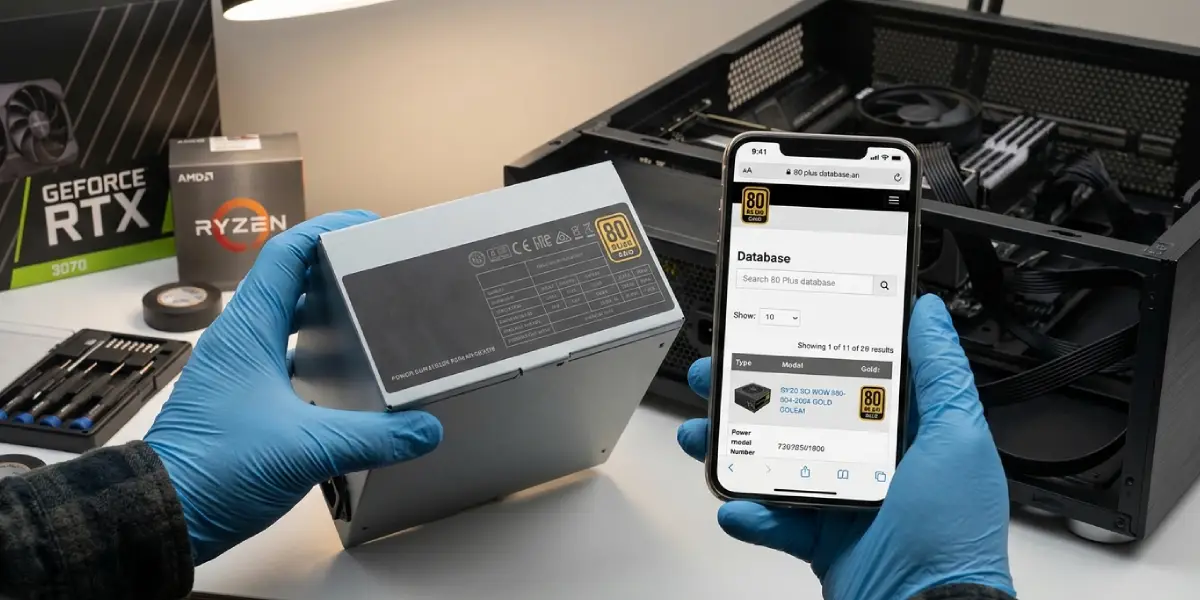
The rating should appear on the label of the unit and on the product page. The official 80 Plus listing is public, so a model can be searched by name to confirm that it is certified at the claimed level. A badge that cannot be found in the listing deserves caution. This is especially true for unfamiliar brands selling at very low prices.
Some reviewers also cite Cybenetics ratings, a separate testing program that grades efficiency and noise levels. These grades add useful detail but are a different system from 80 Plus and should not be mixed up with it.
Common Problems and Fixes
A Gold PSU still runs hot or loud
Efficiency only reduces wasted heat, and it does not remove it. A hot case, a blocked intake, or a dusty PSU fan can still push temperatures up. Clear dust from the vents and check that the case has a clear airflow path. If the noise continues, the fan design of that particular model is the likely cause rather than the rating.
Wall power draw is higher than expected
Wall draw is always higher than the DC load because of conversion loss. At very light loads, such as idle, efficiency drops below the rated numbers, so the reading at the wall can look worse than the label suggests. This is normal behavior for lower-rated units in particular.
A highly rated PSU fails or trips protections
A strong badge does not replace adequate wattage. If the unit shuts down under gaming or heavy rendering loads, the system may be drawing more than the PSU can deliver. Recheck the total load, including a power-hungry graphics card, and move up to a larger unit if needed.
The claimed rating cannot be confirmed
If the model is missing from the public 80 Plus listing, treat the claim as unverified. Choose a unit from a known brand with confirmed certification instead of relying on a sticker.
Frequently Asked Questions
What does 80 Plus mean on a power supply?
It means the power supply has been tested and shown to be at least 80 percent efficient at 20, 50, and 100 percent load. Higher levels such as Bronze, Gold, and Titanium require higher efficiency at those same load points.
Is 80 Plus Gold worth it over Bronze?
For most gaming and daily-use PCs, yes. Gold wastes less power as heat, which can reduce fan noise, and Gold units are often built with better components. The extra cost is usually modest compared with the overall price of a system.
Is 80 Plus Platinum or Titanium worth the extra cost?
It depends on usage. These levels pay off mainly in machines that run at high load for long hours, such as servers or workstations. For a typical home PC, the savings on the electricity bill rarely cover the higher purchase price.
Does a higher 80 Plus rating mean a better quality PSU?
Not automatically. The rating measures efficiency only. Build quality, voltage stability, protections, and noise levels are separate qualities, which is why reviews of the exact model are worth reading.
Does an 80 Plus PSU improve PC performance?
No. It does not make a processor or graphics card faster. It only wastes less energy during power conversion, which lowers heat and electricity use.
At what load is a PSU most efficient?
Most power supplies reach peak efficiency at around 50 percent of their rated load. Efficiency is lower at very light loads and slightly lower again near full load.
How much power does an 80 Plus rating save?
The saving equals the difference in conversion loss between two units. For a PC with a 500 watt load, an 85 percent efficient unit draws about 32 watts more from the wall than a 90 percent efficient one. The real saving depends on how many hours the PC runs and the local electricity rate.
Are 80 Plus and Cybenetics the same thing?
No. They are separate certification programs. 80 Plus uses named levels such as Bronze and Gold, while Cybenetics uses its own efficiency and noise grades. Both can appear in reviews of the same power supply.
Can a PSU claim an 80 Plus rating without being certified?
It can be printed on a label, but the claim should be verified. The public 80 Plus listing lets buyers check whether a specific model is certified at the stated level.
