
Choosing between NVMe vs SATA SSD comes down to how the drive connects to the motherboard and how much speed the rest of the system can actually use. Both drives are dramatically faster than a traditional spinning hard drive, but they are not interchangeable in every build. This guide breaks down the real differences so the right choice becomes obvious in minutes, not hours.
Key Takeaways
- NVMe SSDs use the PCIe interface and are significantly faster than SATA SSDs, especially for large file transfers and heavy multitasking.
- SATA SSDs are still far faster than a mechanical hard drive and remain a solid, budget-friendly upgrade for older systems.
- Most everyday tasks, including web browsing and office work, will not feel noticeably different between the two.
- Gaming load times, video editing, and large file copying benefit the most from NVMe speed.
- Motherboard compatibility matters more than personal preference, so checking available slots comes first.
NVMe vs SATA SSD: The Quick Answer
For most builds today, NVMe is the better pick when the motherboard supports it, since prices have dropped close to SATA levels for many mainstream drives. SATA SSDs still make sense as a smart upgrade for older laptops and desktops that only have a SATA port, or for anyone stretching a budget on secondary storage. The key is to match the drive to what the system can actually take advantage of, rather than buying based on specs alone.
When NVMe Makes the Most Sense
NVMe drives plug directly into the PCIe lanes on the motherboard, either through an M.2 slot or, less commonly, a PCIe expansion card. This bypasses the older SATA bottleneck entirely, which is why NVMe drives can move data several times faster than a SATA SSD in real-world use. Anyone doing 4K video editing, working with large game libraries, or running virtual machines will notice the difference immediately.
When SATA Still Makes Sense
SATA SSDs use the same interface as older hard drives, which means they fit into almost any desktop or laptop built in the last fifteen years. This makes SATA the practical choice for reviving an aging machine that has no M.2 slot, or for adding extra storage capacity without paying a premium. Most people find that a SATA SSD still transforms a sluggish old laptop into something that feels responsive again.
Speed, Price, and Compatibility Compared
Speed
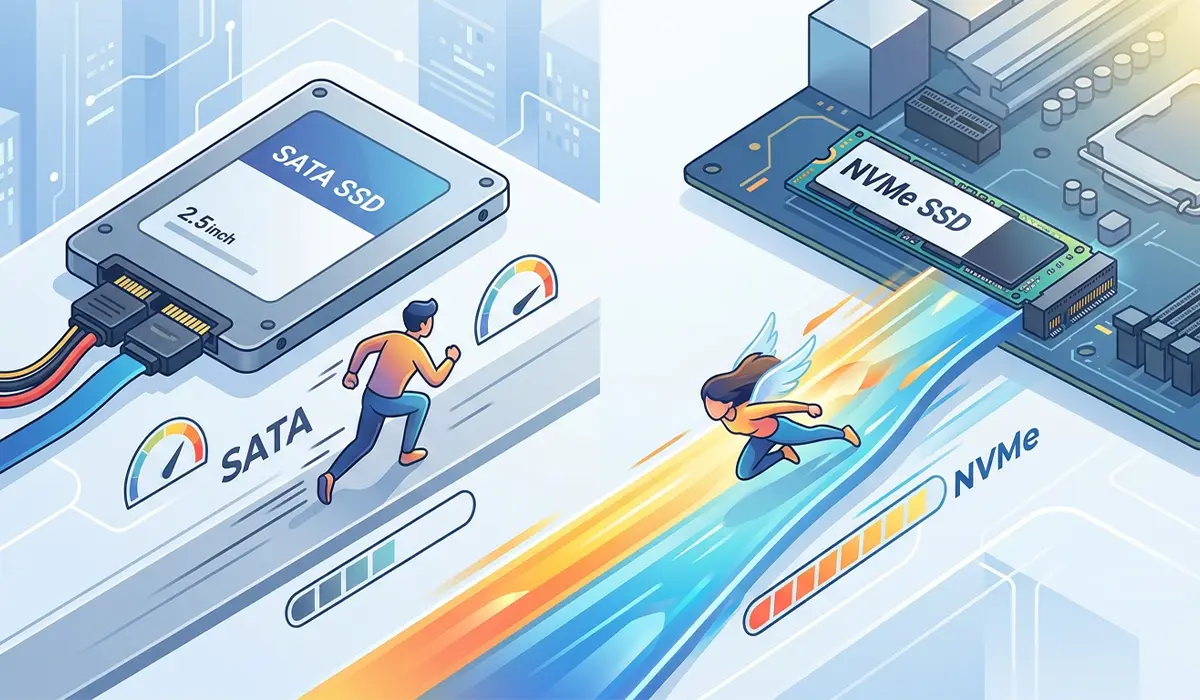
SATA SSDs are limited by the SATA III interface, which caps real-world throughput well below what NVMe drives can achieve. NVMe drives communicate directly over PCIe, removing that ceiling and allowing much higher read and write speeds along with lower latency. This gap shows up most clearly during large file transfers, game level loading, and boot times, though both drive types will feel instant compared to a hard drive.
Price
Entry-level NVMe drives have closed most of the price gap with SATA SSDs at common capacities, particularly for budget-tier models. SATA still tends to hold a slight price advantage at higher capacities, which matters for anyone building a large media or storage archive on a tighter budget.
Compatibility
This is often the deciding factor rather than preference. An NVMe SSD needs an available M.2 slot that supports the NVMe protocol, since some M.2 slots are wired for SATA-based M.2 drives instead. Checking the motherboard manual or product page before buying avoids the frustration of an incompatible drive sitting unused in a drawer.
Tip: Look up the exact motherboard or laptop model number and search for its M.2 slot specifications before purchasing an NVMe drive. Some slots support NVMe, some only support SATA-based M.2 drives, and some support both, so confirming this in advance saves a return trip to the store.
Real-World Use Cases
Gamers who want faster level loads and shorter install times benefit from NVMe, especially in newer titles built around fast storage. Content creators moving large video files or working with high-resolution project files also see a real, noticeable improvement. General users doing email, browsing, and document work will rarely notice a practical difference between a good SATA SSD and an NVMe drive in daily use.
Tip: If the system already has a fast NVMe boot drive, adding a SATA SSD as secondary storage for photos, documents, or backups is a cost-effective way to expand capacity without paying NVMe prices for bulk storage.

Common Problems and Fixes
New NVMe drive is not detected by the system: This usually means the M.2 slot in use is wired for SATA rather than NVMe, or the drive needs to be enabled in the BIOS storage configuration menu. Checking the motherboard manual for which M.2 slot supports NVMe resolves most of these cases.
SATA SSD is not reaching expected speeds: Older SATA I or SATA II ports on some laptops and budget motherboards limit a SATA III SSD to a fraction of its rated speed. Confirming the port version in the system specifications clarifies whether the bottleneck is the drive or the connection.
NVMe drive runs hot under sustained load: High-performance NVMe drives can throttle their speed when they get too warm during large, sustained transfers. Adding a heatsink, either a standalone one or the one often built into the motherboard’s M.2 slot cover, keeps temperatures in check.
Cloned drive will not boot after switching from SATA to NVMe: This is often related to boot mode settings in the BIOS, such as AHCI versus RAID, or a drive letter and boot order that needs to be reset after cloning. Reviewing the BIOS boot priority list and confirming the new drive is selected as the primary boot device usually fixes this.
Frequently Asked Questions
Is NVMe always better than SATA SSD?
NVMe is faster in nearly every measurable way, but ‘better’ depends on the system. If the motherboard cannot use NVMe speeds fully or the budget is tight, a SATA SSD is still a smart, reliable choice.
Can a SATA SSD be upgraded to NVMe later?
Yes, as long as the motherboard has an available NVMe-compatible M.2 slot. The SATA drive can be repurposed as secondary storage rather than thrown away.
Do laptops support NVMe SSDs?
Many modern laptops do, but not all. Checking the manufacturer’s specification sheet or opening the laptop to inspect the existing storage slot confirms compatibility before buying.
Will an NVMe SSD make games load faster?
Yes, particularly in newer, larger titles that stream assets from storage. The difference is most noticeable when moving between game areas or loading saved games.
Is SATA SSD still worth buying in 2026?
For older systems without an NVMe slot, or as affordable secondary storage, SATA SSDs remain a practical and worthwhile upgrade over a mechanical hard drive.
Does NVMe use more power than SATA SSD?
NVMe drives can draw more power under heavy load due to their higher performance, though this difference is generally minor for typical desktop and laptop use.
Can NVMe and SATA SSDs be used together in the same system?
Yes, most desktop motherboards support running an NVMe drive as the boot drive alongside one or more SATA SSDs for additional storage.
What is the difference between M.2 SATA and M.2 NVMe?
Both use the same physical M.2 connector, but they use different protocols. M.2 SATA drives are limited to SATA speeds, while M.2 NVMe drives communicate over PCIe for much higher performance.
How can someone tell if their motherboard supports NVMe?
The motherboard manual or manufacturer’s product page will list which M.2 slots support the NVMe protocol, since not every M.2 slot on a board is wired the same way.
