
Backlight bleed shows up as patches of uneven light leaking around the edges or corners of a dark screen, and learning how to fix monitor backlight bleed starts with understanding that most cases come down to panel pressure, not a broken display. The good news is that several causes are fixable at home without replacing anything.
Key Takeaways
- Backlight bleed is almost always caused by uneven pressure on the LCD panel or its backlight layer, not by a failed component.
- Loose mounting screws, a poorly seated bezel, or a monitor sitting on an uneven surface are the most common triggers.
- Gentle pressure adjustments, screw checks, and mounting fixes solve the majority of mild to moderate cases.
- Severe bleed that shows up as a bright blob rather than edge glow often points to a manufacturing defect that needs a warranty claim instead of a DIY fix.
- Backlight bleed is different from IPS glow, which is a normal viewing-angle effect and cannot be repaired.
Common Causes of Monitor Backlight Bleed
Most backlight bleed traces back to something mechanical rather than electrical. The LCD panel sits in layers, and when one of those layers gets squeezed unevenly, light escapes around the edges.
Uneven Panel Pressure
The bezel and back casing clamp the LCD stack together. If that clamping force is uneven, usually because of a warped chassis or a bezel that was never seated evenly at the factory, light leaks through the weaker spots. This is the single biggest reason people search for how to fix monitor backlight bleed.
Loose or Overtightened Screws
Screws that hold the back panel and bezel together control how evenly pressure spreads across the display. A screw that backed out over time, or one that was overtightened during assembly, can create a pressure point that shows up as a bright patch nearby.
Physical Impact or Shipping Stress
A monitor that got bumped during shipping or knocked while being moved can develop a slight flex in the frame. That flex does not always crack anything, but it can shift the internal pressure just enough to cause bleed.
Manufacturing Tolerances
Some panels simply left the factory with a slightly uneven clamp. This is common enough that most manufacturers have a stated tolerance for backlight bleed and will only replace a unit if the bleed exceeds that threshold.
Before You Start
Backlight bleed fixes involve handling the outer casing and, in some cases, opening the monitor. A little preparation keeps the process safe for both the technician and the display.
- Power off the monitor and unplug it from both the wall outlet and the video cable.
- Let the panel cool for a few minutes if it has been running, since warm plastic clips can be more fragile.
- Work on a flat, clean, well-lit surface with a soft towel or microfiber cloth underneath to protect the screen face.
- Discharge static by touching a bare metal surface before handling any internal components.
- Note that removing the bezel or back cover on some models can void the manufacturer warranty, so check the warranty terms first if the monitor is still covered.
Tip: Photograph the bleed pattern in a dark room before starting any fix. That photo makes it easy to compare results afterward and confirm whether a step actually helped.
How to Fix Monitor Backlight Bleed
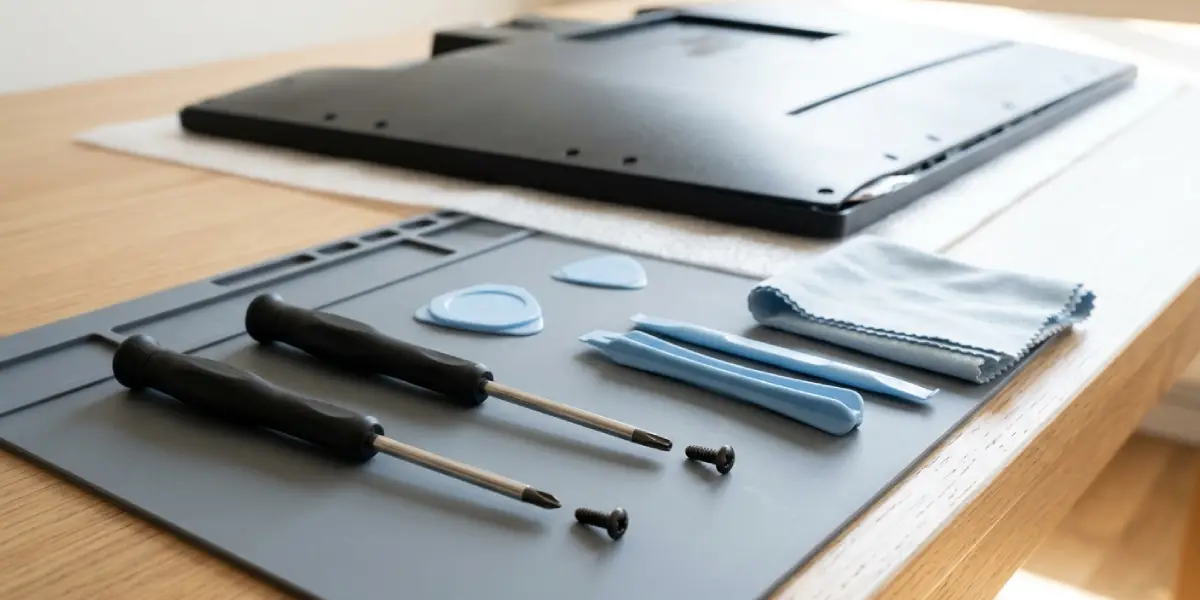
Tools and Materials Needed
- A small Phillips or Torx screwdriver set, matched to the screws on the monitor’s back cover.
- Plastic pry tools or an old credit card for separating clipped bezels without scratching the casing.
- A microfiber cloth for handling the panel and wiping down surfaces.
- A dark room or a black screen background for testing results after each step.
Step-by-Step Fix
- Step 1: Display a full black screen in a dark room and note exactly where the bleed appears, whether it is along one edge, in a corner, or scattered across multiple spots.
- Step 2: Check the monitor stand and mounting bracket first. Loosen the tilt adjustment and make sure the panel is not being pinched by a VESA mount that is slightly misaligned.
- Step 3: With the monitor powered off, apply gentle, even hand pressure to the area near the bleed while a helper checks the screen on a dark test image. If the bleed visibly shifts or lessens, that confirms a pressure issue rather than a dead backlight zone.
- Step 4: Remove the back cover following the screw layout for that specific model, keeping track of screw sizes since edge and corner screws are sometimes different lengths.
- Step 5: Locate the screws that clamp the bezel or metal frame directly around the panel. Loosen the screw closest to the bleed area by a small amount, no more than a quarter turn, then retest with the black screen.
- Step 6: If loosening does not help, try the opposite adjustment and slightly tighten the screw on the side opposite the bleed to redistribute pressure evenly.
- Step 7: Reassemble the monitor once the bleed has improved or stabilized, tightening all screws evenly in a crisscross pattern rather than working around in a circle.
- Step 8: Let the monitor run for a few hours and recheck the black screen test, since panels can settle slightly after reassembly.
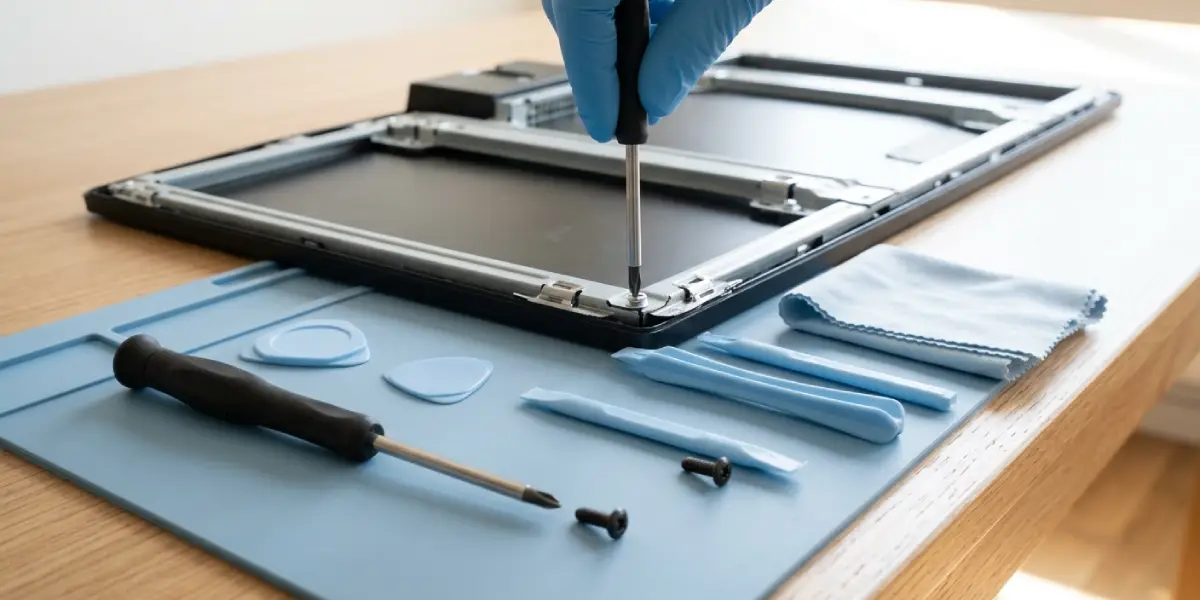
Tip: Adjust one screw at a time and retest before moving to the next one. Changing several screws at once makes it impossible to tell which adjustment actually helped.
Common Problems and Fixes
Bleed Returns a Few Days After the Fix
This usually means the screws settled again or the mounting surface is not perfectly flat. Recheck the wall mount or desk stand for level, and confirm the screws are snug but not overtightened.
Bleed Gets Worse After Opening the Monitor
This points to a screw being tightened too much on one side. Back that screw off in small increments and retest with a black screen until the bleed returns to its original level or improves.
Bright Blob Instead of Edge Glow
A concentrated bright patch away from the edges, rather than a soft glow along the border, often indicates a backlight LED or diffuser defect rather than a pressure issue. This type is not something pressure adjustments will fix and typically calls for a warranty claim or professional repair.
Screen Looks Fine on Dark Backgrounds but Uneven on Light Ones
Some unevenness on bright or gray backgrounds is normal panel variance, not backlight bleed. Backlight bleed specifically shows up on black or near-black content, so testing on the wrong background can lead to chasing a problem that is not actually there.
Bleed Confused With IPS Glow
IPS glow appears mainly when viewing the screen from an angle and looks like a silvery or bluish haze in the corners, and it shifts as the viewing angle changes. Backlight bleed stays in the same spot regardless of angle. Confirm which one is present before attempting any physical fix, since IPS glow cannot be adjusted away.
Frequently Asked Questions
What causes monitor backlight bleed?
It is almost always caused by uneven pressure on the LCD panel from the bezel, back casing, or mounting screws, sometimes combined with manufacturing tolerances or shipping stress.
Can backlight bleed be fixed without opening the monitor?
Mild cases sometimes improve just by adjusting the stand, checking the VESA mount alignment, or making sure the monitor sits on a flat, stable surface.
Is backlight bleed covered under warranty?
Many manufacturers cover backlight bleed if it exceeds a certain visible threshold, but mild bleed within their stated tolerance is often considered normal and not covered.
Does backlight bleed get worse over time?
It can, particularly if screws loosen from vibration or the monitor gets bumped, but it can also stay stable indefinitely once the panel settles after manufacturing.
Is backlight bleed the same as a dead pixel?
No. A dead pixel is a single point that fails to display color correctly, while backlight bleed is light leaking around the edges of the display from the backlight layer itself.
How can backlight bleed be tested accurately?
Display a full black screen in a dark room and look for uneven glow, especially near the edges and corners, since bright or colored backgrounds can hide or mimic the effect.
Can adjusting screws damage the monitor?
Overtightening screws can crack the plastic bezel or put excess stress on the panel, so adjustments should always be made in small increments with frequent testing.
Does screen brightness affect backlight bleed?
Higher brightness settings tend to make existing bleed more visible, while lower brightness can make it less noticeable, though it does not change the underlying cause.
When should a monitor be replaced instead of repaired for backlight bleed?
If the bleed appears as a large bright blob unrelated to the edges, worsens significantly after safe adjustments, or the monitor is still under warranty, replacement or a warranty claim is usually the better option over continued DIY repair.
