
Knowing how to clean a PC power supply unit properly can add years to its lifespan and keep a system running cooler and quieter. Dust builds up inside the PSU fan and vents over time, choking airflow and forcing the internal components to work harder than they should. This guide walks through the safe, tested way to clean it without risking damage or a shock.
Key Takeaways
- Always power down, unplug, and let the PSU sit before opening anything – capacitors can hold a charge even when unplugged.
- Compressed air and a soft brush handle most PSU dust buildup without ever needing to open the metal case.
- Opening the PSU itself is optional and carries real risk – most cleaning can be done safely from the outside.
- A dusty PSU fan often shows up first as louder fan noise or a system that feels warmer than usual under load.
- Cleaning the PSU every six to twelve months, depending on the environment, keeps it running efficiently.
Before You Start
A power supply stores electrical charge in its capacitors, so a little caution goes a long way before touching it.
- Shut the PC down completely and unplug the power cable from the wall and from the PSU itself.
- Press and hold the power button for several seconds after unplugging to discharge any residual power in the system.
- Touch a bare metal part of the case, or use an anti-static wrist strap, to ground out static before handling any internals.
- Let the PSU cool down fully if the system was running recently – the internal heatsinks and fan can stay warm for a while after shutdown.
- Work in a well-lit, dry area away from carpet, which generates static electricity.
Tip: If the plan is only to clean the fan grille, intake vents, and exterior, there is no need to remove the PSU from the case at all in most builds.
Tools and Materials Needed
- Compressed air canister or a small handheld electric duster.
- Soft-bristle brush, such as a clean paintbrush or a dedicated anti-static brush.
- Lint-free or microfiber cloth.
- 90 percent or higher isopropyl alcohol, for wiping the exterior casing only.
- A Phillips-head screwdriver, if removing the PSU from the case.
- A can of compressed air held upright to avoid spraying liquid propellant onto components.
How to Clean a PC Power Supply Unit Step by Step
This process works whether the PSU stays mounted in the case or gets removed for a more thorough job. Most users only need the first few steps.
- Step 1: Power down the PC, unplug it, and discharge residual power by holding the power button for about five seconds.
- Step 2: Move the PC to an open area with good ventilation, ideally outdoors or near an open window, since blowing out dust creates a small cloud of debris.
- Step 3: Locate the PSU fan grille, usually on the bottom or side of the case depending on the build’s orientation, and the rear exhaust vent where the fan sits behind the metal grate.
- Step 4: Hold the compressed air can upright and spray in short bursts through the fan grille, angling the nozzle to hit the fan blades directly. Short bursts prevent the propellant from cooling and potentially releasing moisture onto internal parts.
- Step 5: Gently hold the fan blades still with a finger or a cotton swab while spraying, since PSU fans can spin freely and spinning them too fast with compressed air can strain the bearings.
- Step 6: Use the soft brush to loosen dust caked around the vents and grille that the air alone does not dislodge, then follow with another round of compressed air to clear it out.
- Step 7: Wipe down the exterior metal casing with a microfiber cloth lightly dampened with isopropyl alcohol, then dry it immediately with a separate dry cloth. Avoid letting any liquid near the vents.
- Step 8: If the PSU was removed from the case for deeper access, reinstall it, reconnect every cable firmly, including the 24-pin motherboard connector, CPU power, and any drive or GPU connectors, and double-check nothing was left loose.
- Step 9: Plug the system back in, power it on, and listen for the fan spinning up normally without rattling or grinding sounds.
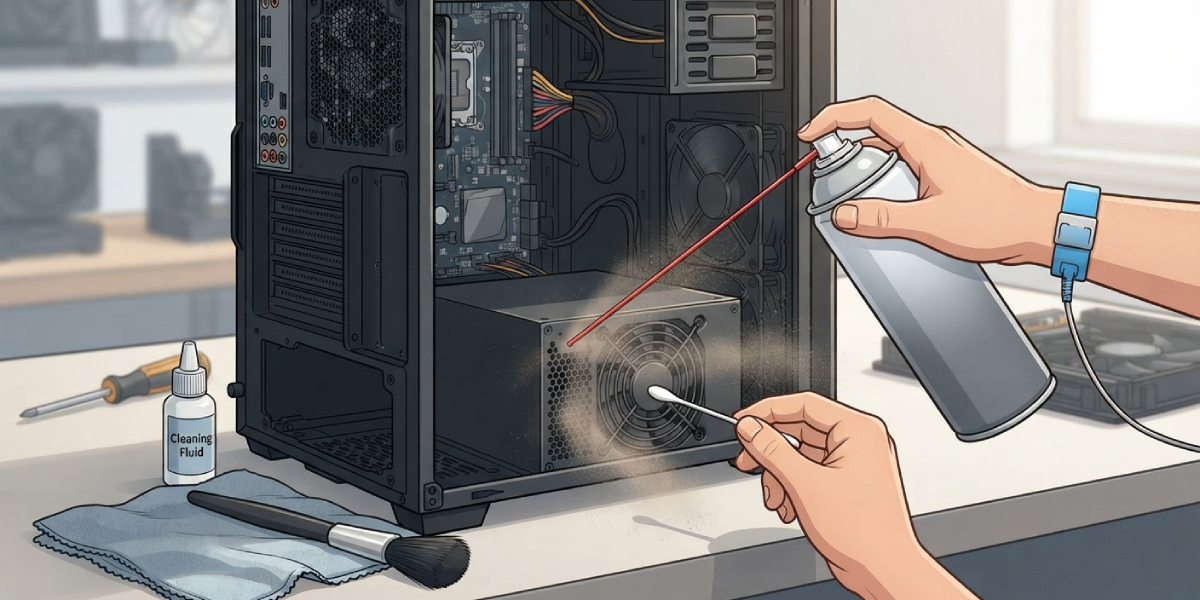
Tip: A can of compressed air held at an angle rather than straight up can cause it to sputter liquid instead of air, so always keep the can upright during use.
Should the PSU Casing Ever Be Opened?
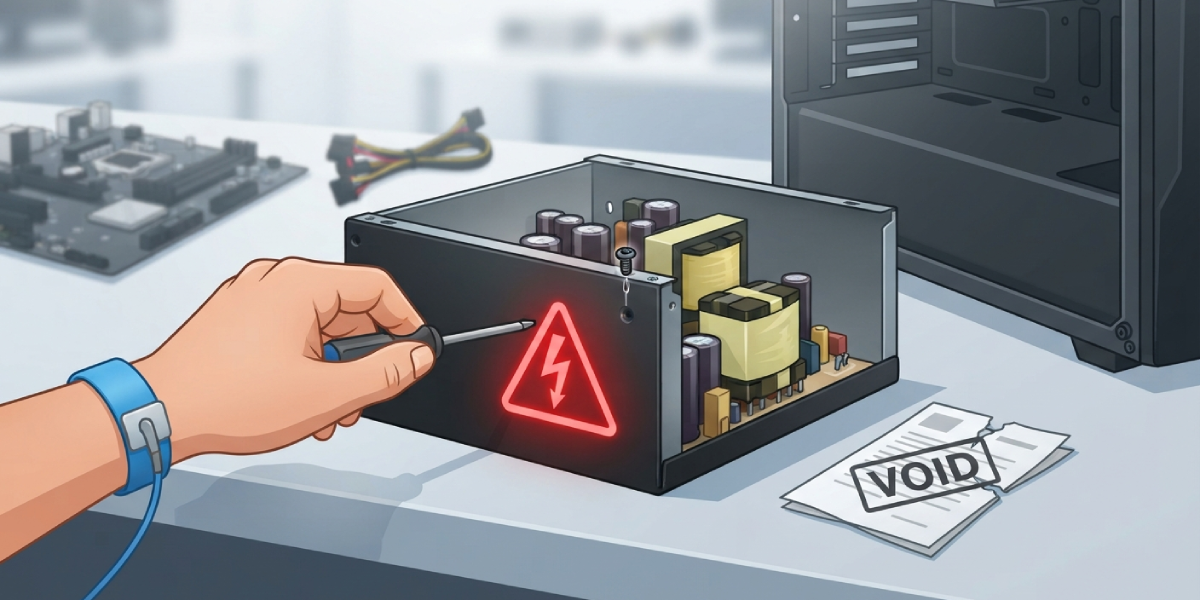
Opening the metal casing to clean the internal circuit board is where most home cleaning jobs should stop. The capacitors inside a power supply can hold a dangerous electrical charge long after the unit is unplugged, and touching the wrong component can cause a real shock. Exterior cleaning through the vents handles the vast majority of dust buildup for typical desktop use. If the PSU fan has stopped spinning entirely, makes a persistent grinding noise, or the unit shows visible corrosion or a burnt smell, that is a sign to stop and have a qualified technician inspect or replace it rather than opening it up. Opening the casing on most power supplies also voids the manufacturer’s warranty, since factory seals are usually broken in the process.
Common Problems and Fixes
- PSU fan still sounds loud after cleaning. A bearing that has worn down over years of use will keep making noise even with the dust gone. This usually points to fan wear rather than dust, and replacing the PSU is often more practical than trying to replace just the internal fan.
- System will not power on after reassembly. This almost always traces back to a cable that was not seated fully, most often the 24-pin motherboard connector or the CPU power cable. Reopen the case and press each connector firmly until it clicks.
- Dust keeps building up again quickly. This points to the room environment rather than the cleaning method – carpeted rooms, pet hair, or a case sitting directly on the floor all pull in more dust. Raising the case off the floor and adding intake filters helps slow the buildup.
- PSU runs noticeably warmer even after cleaning. Check that the case has proper airflow overall, since a PSU pulling in already-warm air from inside a poorly ventilated case will run hot regardless of how clean it is.
- A faint burning smell after cleaning. Power down immediately and disconnect the system. This can indicate a failing capacitor or internal component and is a clear signal to have the unit inspected or replaced rather than reused.
Frequently Asked Questions
How often should a PC power supply be cleaned?
Most desktop systems benefit from a PSU cleaning every six to twelve months. Homes with pets, carpeted floors, or dusty environments may need it closer to every three to six months.
Can a power supply be cleaned without opening the case?
Yes. In most builds, the fan grille and vents are accessible without removing the PSU or opening the case at all, and compressed air alone handles the majority of dust buildup.
Is it safe to use a vacuum cleaner to clean a PSU?
Standard household vacuums are not recommended, since they can generate static electricity that risks damaging sensitive electronics. Compressed air or a small electric duster designed for electronics is the safer choice.
Why does a power supply collect so much dust?
The PSU fan constantly pulls in air to cool internal components, and that airflow carries dust, hair, and debris in with it, which settles on the fan blades and internal heatsinks over time.
Can dust buildup actually damage a power supply?
Yes. Heavy dust buildup restricts airflow, which causes internal components to run hotter than they were designed for. Over time, this added heat stress can shorten the lifespan of the unit.
Is it dangerous to clean a power supply?
Cleaning the exterior and vents from the outside carries minimal risk when the system is unplugged first. The real risk comes from opening the internal casing, which should be left to a qualified technician due to stored electrical charge in the capacitors.
What is the safest way to blow dust out of a PSU fan?
Hold the compressed air can upright, spray in short controlled bursts through the fan grille, and gently hold the fan blades still to prevent them from spinning too fast during the process.
Does cleaning a PSU void the warranty?
Cleaning the exterior and vents typically does not affect the warranty. Opening the internal casing, however, usually breaks a factory seal and can void the manufacturer’s warranty.
How can dust buildup in a PSU be prevented?
Keeping the case off the floor, using intake dust filters, and cleaning the exterior vents on a regular schedule all help reduce how quickly dust accumulates inside the unit.
What are the signs that a power supply needs cleaning?
A louder than normal fan, a system that runs warmer under load, or visible dust caked on the rear vent grille are all common signs that a PSU cleaning is overdue.
