
Safe CPU temperature ranges for laptops generally sit between 40 and 65 degrees Celsius at idle and 70 to 90 degrees Celsius under heavy load, though the exact ceiling depends on the specific processor. Most modern laptop CPUs are engineered to handle sustained heat far better than people assume, and a fan spinning up under load is normal behavior, not a warning sign.
Understanding what counts as normal versus concerning saves a lot of unnecessary worry and prevents people from chasing a problem that does not actually exist.
Key Takeaways
- Idle temperatures between 40 and 65 degrees Celsius are typical for most laptop CPUs.
- Load temperatures of 70 to 90 degrees Celsius are common and expected during gaming, rendering, or compiling.
- Manufacturers build modern chips with a thermal junction limit, usually around 100 degrees Celsius, where the CPU throttles itself to protect hardware.
- Short spikes near that limit are not automatically dangerous; sustained time at the limit with dropping performance usually is.
- Airflow, thermal paste condition, and ambient room temperature affect where a laptop sits within its safe range.
What Counts as a Safe CPU Temperature Range
Every processor has a maximum safe operating temperature set by its manufacturer, often called T-junction max or Tjmax. This is the point where the chip automatically slows itself down to avoid damage, a process known as thermal throttling. For most consumer laptop CPUs from Intel and AMD, that ceiling lands somewhere around 95 to 105 degrees Celsius.
Running near that number briefly during a demanding task is expected. Living there for extended periods is where things get uncomfortable for the hardware, even though the built-in protection will usually prevent outright damage.
Idle Temperatures
At idle, meaning light use like browsing or word processing, a healthy laptop CPU typically reads somewhere between 40 and 65 degrees Celsius. Thinner laptops and gaming laptops with high-performance chips can run a bit warmer even at idle, simply because of tighter internal spacing and smaller heatsinks. A machine sitting at 55 degrees while doing nothing more than displaying a spreadsheet is completely ordinary.
Load Temperatures
Under sustained load, such as gaming, video editing, or compiling code, temperatures commonly climb into the 70 to 90 degree Celsius range. This is where a lot of new laptop owners get nervous, but this range reflects the CPU working as intended.
Thin-and-light ultrabooks often run hotter under load than bulkier gaming laptops, since there is simply less room for heat to dissipate. Tip: watching temperature alone tells only part of the story. Pairing a temperature reading with clock speed in the same monitoring tool shows whether the chip is actually throttling or just running warm while performing normally.
How to Check a Laptop’s CPU Temperature
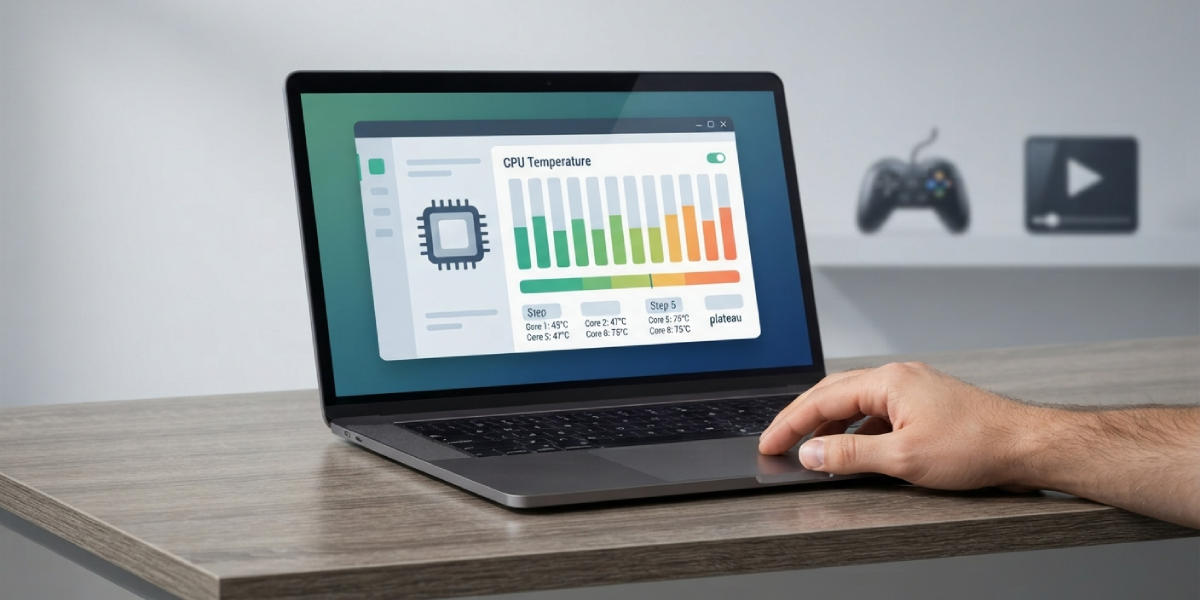
- Step 1: Install a reputable monitoring tool such as HWMonitor, HWiNFO, or the Intel/AMD equivalent utility. Avoid random downloads from unfamiliar sites, since temperature tools with bundled adware are common.
- Step 2: Let the laptop sit idle for a few minutes after opening the tool so the readings settle rather than reflecting startup activity.
- Step 3: Note the idle temperature across all cores, since some cores run slightly warmer than others under normal operation.
- Step 4: Run a demanding task, such as a game or a video export, for ten to fifteen minutes to observe load behavior.
- Step 5: Watch for a plateau. Temperatures that climb and then level off are normal. Temperatures that hit the mid-90s and stay there while clock speeds drop indicate throttling.
What Actually Affects a Laptop’s Temperature Range
A laptop’s real-world temperature range is shaped by more than just the chip itself. Ambient room temperature plays a bigger role than most people expect; a laptop that runs comfortably in an air-conditioned room can run noticeably hotter on a couch in a warm bedroom.
Airflow matters just as much. Working from a soft surface like a blanket or a pillow blocks intake vents and traps heat that would otherwise escape. Dust buildup inside the chassis over months or years acts like a blanket on the heatsink fins, gradually pushing both idle and load temperatures upward even though nothing about the workload has changed.
Thermal paste between the CPU die and the heatsink also degrades over several years, losing its ability to transfer heat efficiently and nudging temperatures higher even on a clean, well-ventilated machine.

Common Problems and Fixes
- Temperatures climb well above 90 degrees Celsius during light tasks. This usually points to blocked vents, a fan that has stopped spinning, or dust clogging the heatsink. Check that vents are unobstructed and consider a compressed air cleaning if the laptop has not been serviced in over a year.
- Fan runs constantly at high speed even during idle use. This often means dust has built up enough that the fan is compensating for poor airflow, or background software is quietly consuming CPU cycles. Checking Task Manager or Activity Monitor for a runaway process is a good first step before assuming a hardware fault.
- Performance drops noticeably during long gaming or rendering sessions. This is a classic sign of thermal throttling, where the CPU is hitting its safe ceiling and cutting clock speed to cool down. Improving airflow, using a laptop cooling stand, or reapplying thermal paste on an older machine typically resolves it.
- Temperatures seem normal but the laptop still shuts down unexpectedly. An unexpected shutdown despite reasonable readings can point to a failing temperature sensor or a battery issue rather than the CPU itself, and is worth having checked by a professional if it persists.
Frequently Asked Questions
What is a dangerous CPU temperature for a laptop?
Sustained temperatures at or above 95 to 100 degrees Celsius for extended periods are considered dangerous territory, since that is close to where most CPUs begin aggressive throttling to protect themselves. Brief spikes into that range during heavy load are not usually a cause for alarm on their own.
Is 80 degrees Celsius too hot for a laptop CPU?
No. Eighty degrees Celsius under sustained load, such as gaming or video rendering, falls within the normal range for most modern laptop processors and does not indicate a problem by itself.
Why does a laptop run hotter than a desktop with the same CPU?
Laptops pack the same silicon into a much smaller chassis with a compact heatsink and less airflow than a desktop tower. That tighter design means heat has less room to escape, so laptop CPUs are engineered and expected to run warmer than their desktop counterparts.
Can high CPU temperatures damage a laptop over time?
Occasional high temperatures during demanding tasks are part of normal operation and unlikely to cause damage, since built-in throttling protects the chip. Consistently running at the very top of the safe range for years, especially alongside dust buildup or aging thermal paste, can shorten a component’s lifespan.
What is a normal CPU temperature while gaming on a laptop?
Most gaming laptops run somewhere between 70 and 90 degrees Celsius during gameplay, depending on the game’s demands, the chassis design, and the room’s ambient temperature. Some high-performance models may briefly touch the low 90s during especially intense scenes without it being abnormal.
Does room temperature affect a laptop’s CPU temperature?
Yes, noticeably. A warm room reduces how effectively a laptop’s cooling system can shed heat, which can push both idle and load temperatures several degrees higher than the same laptop would show in a cooler environment.
How can thermal throttling be identified?
Thermal throttling shows up as a drop in CPU clock speed that coincides with temperatures near the chip’s maximum safe limit, often accompanied by a noticeable dip in performance during a task that was previously running smoothly. Monitoring software that displays both temperature and clock speed side by side makes this easy to spot.
Do all laptop CPUs have the same maximum safe temperature?
No. The maximum safe temperature, or Tjmax, varies by processor model and manufacturer, though most modern consumer chips from Intel and AMD fall somewhere in the 95 to 105 degree Celsius range. Checking the specific processor’s documentation gives the most accurate number for that model.
Should a laptop be used on a soft surface like a bed or couch?
Using a laptop on a soft surface is one of the most common causes of higher-than-normal temperatures, since blankets and cushions block the intake vents on the underside of the chassis. A hard, flat surface or a cooling stand keeps airflow unobstructed and helps temperatures stay in a normal range.
