
A CMOS battery dead condition is the most common reason a desktop or laptop loses its date, time, and BIOS settings every single time it powers on. This small coin cell battery keeps the motherboard’s memory alive when the system is unplugged, and once it weakens or fails, the clock resets to a default date and BIOS settings drift back to factory defaults.
Key Takeaways
- A dead or dying CMOS battery is the leading cause of repeated date and time resets on boot.
- The fix usually involves replacing a CR2032 coin cell battery on the motherboard.
- Persistent ‘CMOS checksum error’ or ‘CMOS battery failure’ messages at startup confirm the diagnosis.
- Desktops are simple do-it-yourself replacements; some laptops require more disassembly or a professional.
- After replacing the battery, BIOS settings need to be reconfigured and the date and time reset once more.
Common Causes of a CMOS Battery Dying
Most of the time this issue comes down to age rather than a fault in the system itself. Motherboards rely on a small lithium coin cell, typically a CR2032, to power the real-time clock and store BIOS settings when the machine has no external power source.
Battery Age and Natural Discharge
These batteries are only rated to last a few years, often somewhere between three and ten years depending on usage patterns and how often the system stays unplugged. A machine that sits disconnected from power for long stretches, like a desktop stored in a closet between uses, tends to drain its CMOS battery faster than one that stays plugged in.
Corrosion or Poor Contact
Sometimes the battery itself is fine, but corrosion on the battery holder’s contacts or a battery that has come slightly loose in its socket prevents a steady connection. This can produce the same symptoms as a genuinely dead battery.
Motherboard Faults
Less commonly, a failing motherboard component tied to the real-time clock circuit can cause the same date reset behavior even with a healthy battery installed. This is rarer, but worth keeping in mind if a fresh battery does not resolve the problem.
Before You Start
Replacing a CMOS battery is a simple task, but a little preparation prevents damage to the motherboard and keeps the process safe.
- Power off the computer completely and unplug it from the wall outlet.
- For laptops, remove the main battery if it is user-removable, or fully disconnect the internal battery connector once the case is open.
- Discharge static electricity by touching a bare metal part of the case, or use an anti-static wrist strap.
- Let any recently run hardware cool down before opening the case.
Tip: Note down any custom BIOS settings, such as boot order or fan curves, before starting. These will reset to default once the old battery is removed.
Tools and Materials Needed
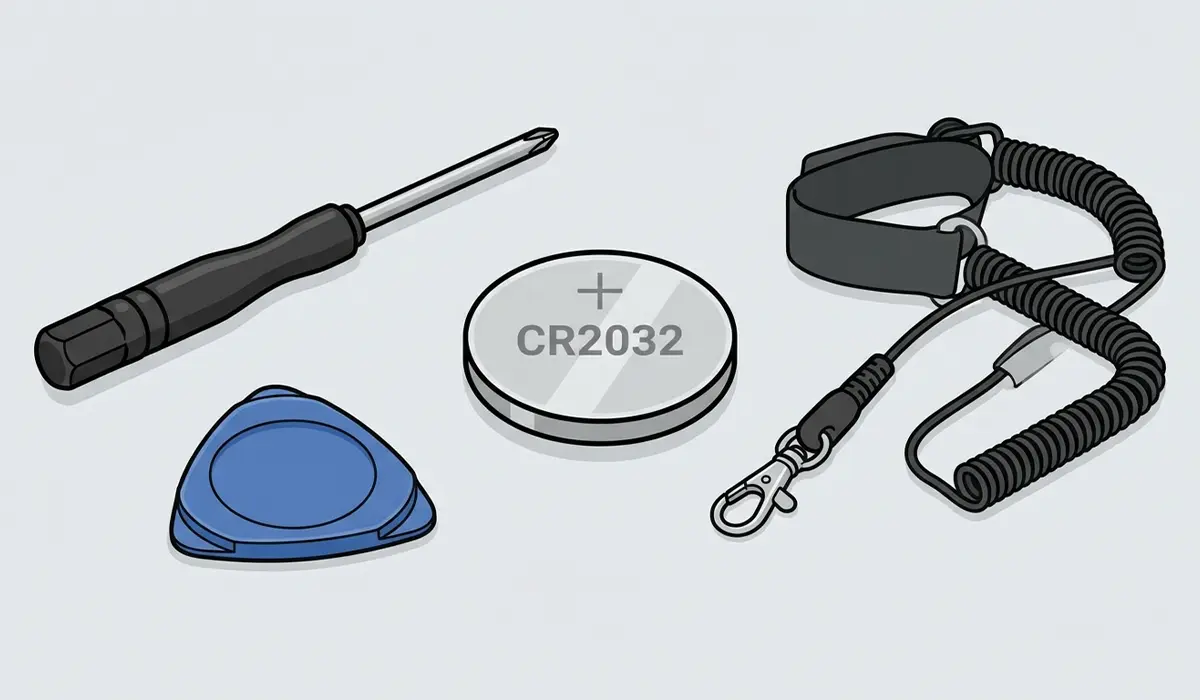
- A replacement CR2032 lithium coin cell battery.
- A Phillips screwdriver for opening the case.
- A plastic pry tool, useful for laptops with tight battery clips.
- An anti-static wrist strap, optional but recommended.
How to Fix a CMOS Battery Dead Error
The fix itself is straightforward on most desktop towers, since the CMOS battery sits in an easily reached socket on the motherboard. Laptops vary more by manufacturer, so the general process below applies to desktops, with notes on where laptops differ.
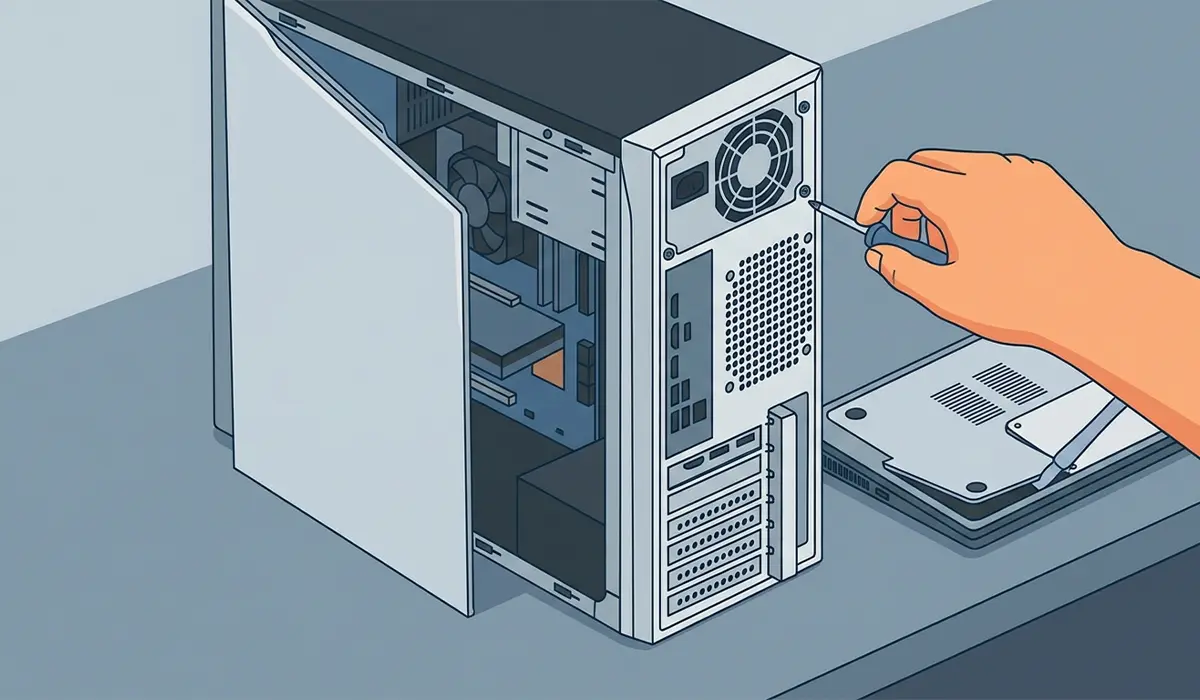
- Step 1: Open the case by removing the side panel screws, then set the panel aside. On a laptop, remove the bottom cover screws and gently pry the panel loose with a plastic tool.
- Step 2: Locate the CMOS battery on the motherboard. It looks like a small, round, silver coin cell, usually near the expansion slots or below the CPU socket.
- Step 3: Note the orientation of the positive side facing up before removing it, since the replacement needs to go in the same way.
- Step 4: Gently push the small retaining clip to the side and let the battery pop out, or lift it out carefully with a plastic tool if there is no clip.
- Step 5: Insert the new CR2032 battery with the positive side facing the same direction as the old one, pressing it in until the clip locks it in place.
- Step 6: Close the case, reconnect power, and turn the computer on.
- Step 7: Enter the BIOS or UEFI setup screen, usually by pressing Delete, F2, or Esc during startup, and set the correct date and time.
- Step 8: Reapply any custom BIOS settings that were noted down earlier, such as boot order, then save changes and exit.
Tip: If the date and time hold correctly after a full shutdown and a few hours unplugged, the battery replacement has solved the problem.
Where the CMOS battery is soldered directly to the board rather than socketed, which happens on some ultra-thin laptops, this becomes a job best left to a professional repair technician. Attempting to desolder a battery without the right equipment risks damaging the motherboard, and opening a laptop case may also affect its warranty.
Common Problems and Fixes
Date Still Resets After Replacing the Battery
This usually points to a battery that was not seated fully in its socket, a battery holder with weak contacts, or a motherboard fault in the real-time clock circuit. Reopen the case, confirm the battery clicks firmly into place, and if the issue continues, the motherboard itself may need professional diagnosis.
BIOS Settings Will Not Save
If BIOS changes revert every time the system restarts even with a new battery installed, double check that the battery orientation is correct and that the connector or clip is making full contact. A loose clip can mimic the exact behavior of a dead battery.
Computer Will Not Boot After the Battery Swap
This is often caused by a static discharge during the process or a cable that got bumped loose while the case was open. Reseat the RAM modules and any loose cables, and confirm the power connectors are firmly attached before troubleshooting further.
Wrong Replacement Battery Installed
Most desktops and laptops use a CR2032, but some machines use a different coin cell size or a rechargeable pack. Checking the old battery’s markings before buying a replacement avoids this mismatch entirely.
Frequently Asked Questions
How do I know if my CMOS battery is dead?
The clearest sign is the system date and time resetting to a default value every time the computer is powered off and back on, sometimes paired with a ‘CMOS checksum error’ or ‘CMOS battery failure’ message during startup.
How long does a CMOS battery usually last?
A typical CR2032 CMOS battery lasts anywhere from three to ten years, depending on how often the system is left unplugged and the overall build quality of the motherboard.
Can a computer run without a CMOS battery?
Yes, a computer can still boot and function without a CMOS battery installed, but it will lose the date, time, and custom BIOS settings every time it loses power.
Is replacing a CMOS battery safe to do without professional help?
On most desktop towers and many laptops, yes, since the battery is simply socketed and clips out and in without soldering. Laptops with a soldered CMOS battery are better left to a professional.
Does replacing the CMOS battery erase personal files?
No, personal files, installed programs, and data on the hard drive or SSD are not affected. Only BIOS settings and the system clock reset.
What type of battery does a CMOS use?
Most desktop and laptop motherboards use a CR2032 lithium coin cell, though it is worth checking the existing battery’s markings to confirm before buying a replacement.
Why do my BIOS settings keep resetting even after a new battery?
This typically means the new battery is not seated fully, the battery holder has weak contacts, or there is an underlying motherboard fault affecting the real-time clock circuit.
Can a dead CMOS battery cause other problems besides the date resetting?
Yes, it can also cause BIOS settings like boot order or enabled hardware features to revert to default, which sometimes leads to boot device errors or disabled components after a restart.
Is it normal for the CMOS battery to die faster on a laptop?
Not necessarily, but a laptop that is frequently left unplugged and with its main battery fully drained can put more strain on the CMOS battery compared to a desktop that stays connected to power.
