
A laptop that suddenly shows ‘No battery is detected’ is one of the more unsettling messages Windows can display, since it usually means the system has stopped seeing the battery entirely rather than just reporting a low charge. This guide walks through why battery not detected by Windows happens and how to work through the fix in a logical order, from the simplest software checks to the physical steps that solve it for good.
Key Takeaways
- Battery not detected by Windows is most often a driver or power management glitch, not a dead battery.
- The Microsoft ACPI-Compliant Control Method Battery driver is the first thing to check and reinstall.
- A battery health report reveals whether the battery itself has failed or is simply being misread.
- Removable batteries should be physically reseated as part of the troubleshooting process.
- Persistent detection failures after all software fixes usually point to a genuinely faulty battery or connector.
Common Causes of Battery Not Detected by Windows
Before jumping into fixes, it helps to understand what typically causes this. Most cases trace back to one of the following:
- A corrupted or outdated battery driver, which is the single most common cause.
- Windows power management settings that have become misconfigured after an update.
- A loose or dirty battery connector, common on laptops that have been opened before.
- Outdated BIOS or firmware that no longer communicates correctly with the battery controller.
- A battery that has genuinely failed, either from age or a fault in its internal circuitry.
- Physical swelling or damage to the battery cell itself.
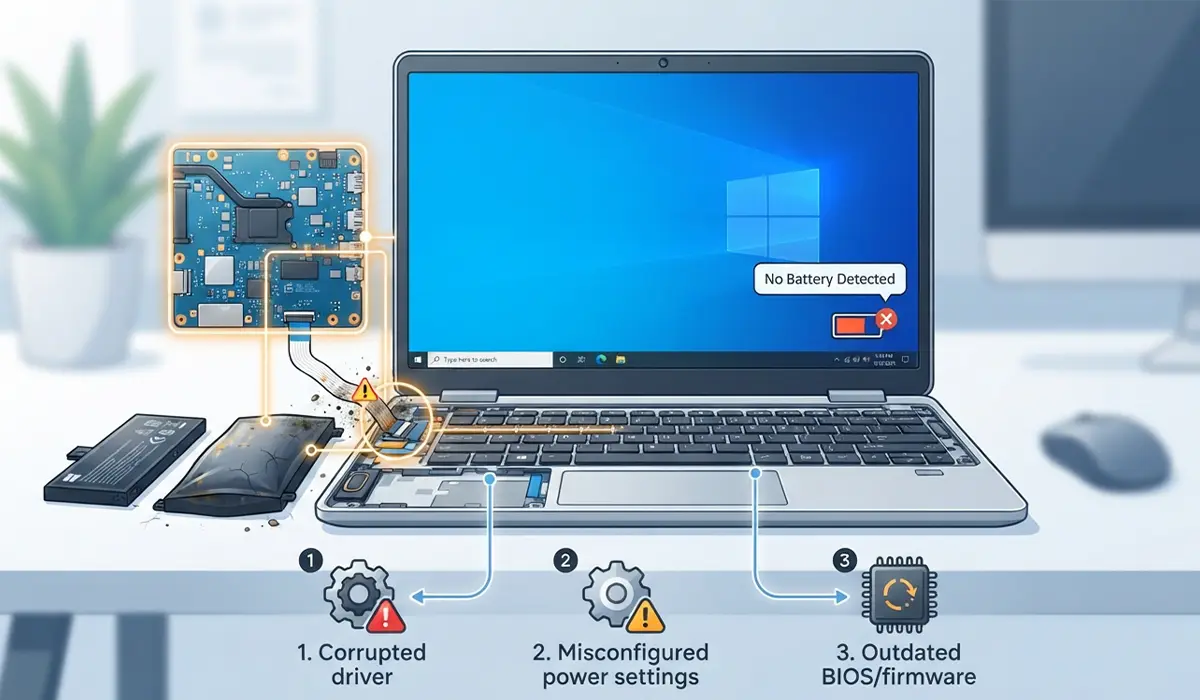
Most people find that a fresh Windows update or a driver rollback is the trigger, since the battery hardware itself rarely fails overnight.
Before You Start
A couple of the steps below involve handling the battery directly, so a short safety check matters first.
- Shut the laptop down completely and unplug the charger before opening any panel.
- Touch a bare metal part of the laptop chassis or use an anti-static wrist strap to discharge static before touching internal components.
- Let the laptop cool down fully if it has been running, since internal components can stay warm for several minutes after shutdown.
- Have a small Phillips screwdriver and a plastic pry tool on hand if the battery is user-removable.
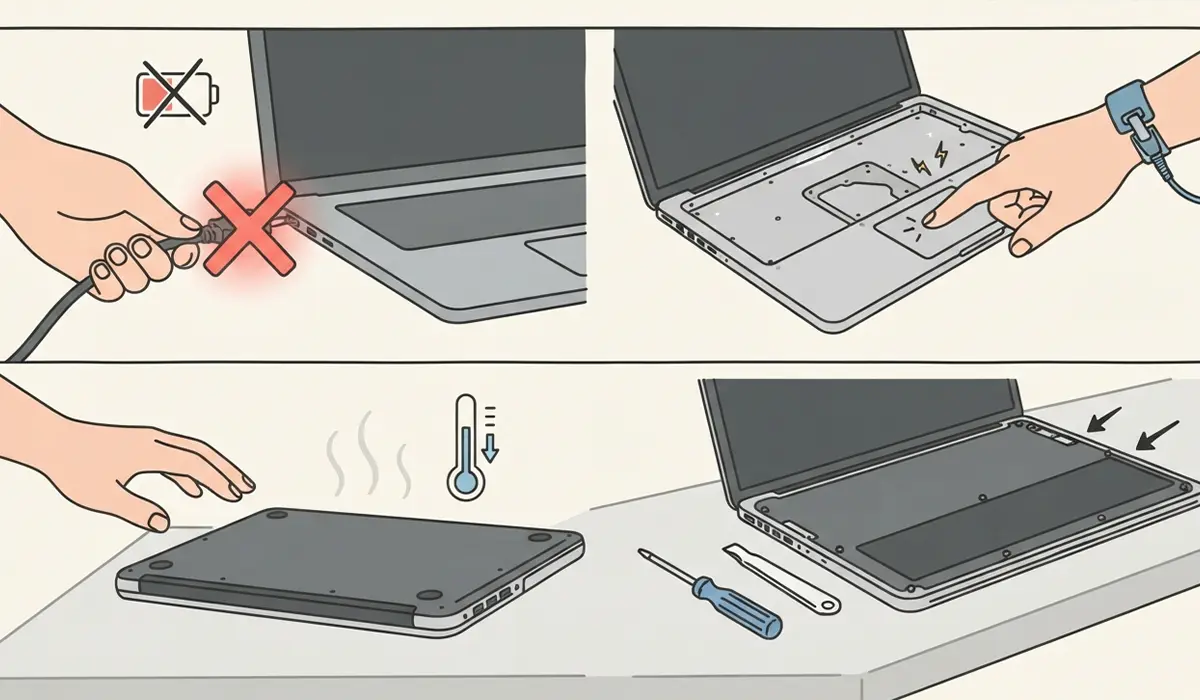
Opening the base panel on some laptops can affect the manufacturer’s warranty, so check the warranty terms first. If the battery compartment looks swollen, cracked, or shows any leakage, stop immediately and have a qualified repair technician handle it rather than continuing the steps below.
How to Fix Battery Not Detected by Windows
Step-by-Step Fixes
- Step 1: Open Device Manager, expand ‘Batteries’, and check whether ‘Microsoft ACPI-Compliant Control Method Battery’ shows a warning icon. If it does, right-click it and select ‘Uninstall device’, then restart the laptop so Windows reinstalls the driver automatically.
- Step 2: If the entry is missing entirely, go to the Device Manager menu, choose ‘Action’, then ‘Scan for hardware changes’. This often forces Windows to redetect the battery controller.
- Step 3: Run the built-in Power troubleshooter from Settings, under ‘System’ then ‘Troubleshoot’, then ‘Other troubleshooters’. It checks for common power management conflicts and applies fixes automatically where possible.
- Step 4: Open Command Prompt as an administrator and run ‘powercfg /batteryreport’. This generates an HTML report showing battery capacity history and health, which helps confirm whether the hardware itself is degrading.
- Step 5: Check for BIOS or UEFI firmware updates through the laptop manufacturer’s support page and install the latest version. Firmware updates frequently include fixes for battery communication issues.
- Step 6: For laptops with a removable battery, power down, unplug the charger, and remove the battery from its compartment. Wait about 30 seconds, then reseat it firmly until it clicks into place, and power the laptop back on.
- Step 7: For laptops with an internal battery, open the base panel following the manufacturer’s guide, locate the battery connector on the motherboard, and gently disconnect and reconnect it to clear any loose contact.
- Step 8: Plug the laptop into AC power only, without the battery reseated, and see if it boots normally. If it does, the issue narrows down to the battery or its connection rather than the motherboard.
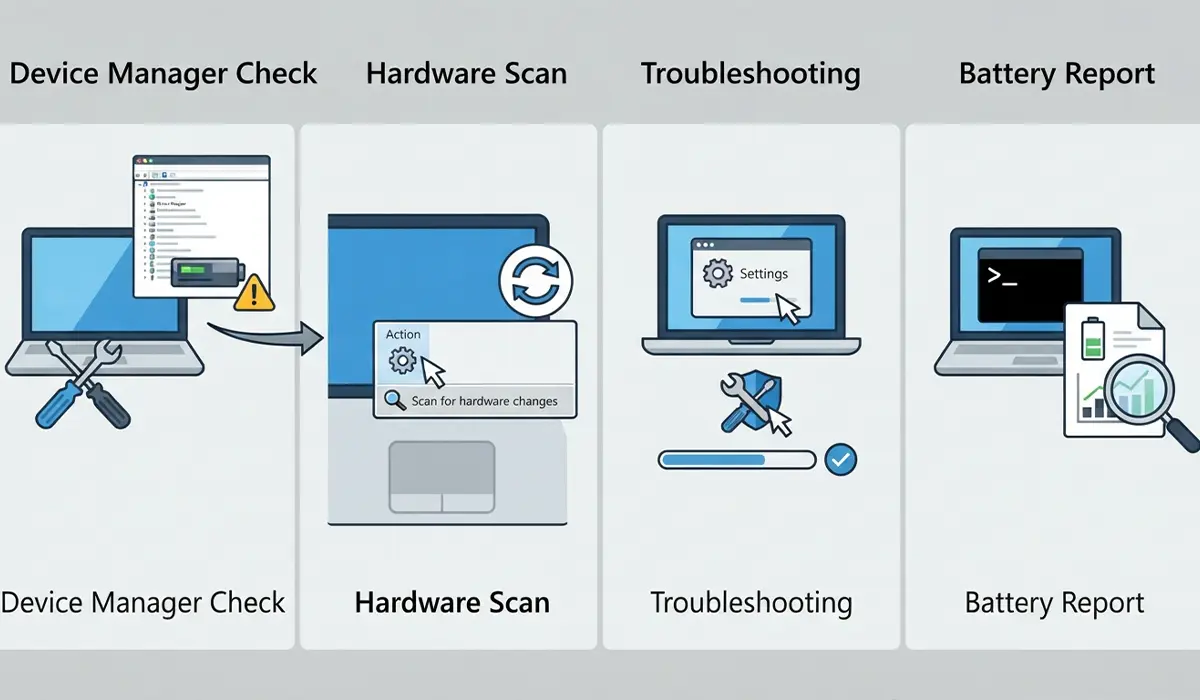
Tip: Run the battery report both before and after reinstalling the driver. Comparing the two makes it much easier to tell whether the fix actually restored proper detection or just temporarily masked the problem.
Common Problems and Fixes
Battery Detected But Stuck at 0 Percent
This usually means the driver reinstalled correctly but the charge controller has not refreshed its reading yet. Let the laptop run on AC power for about 15 minutes, then check the battery icon again before assuming the battery has failed.
Laptop Still Shuts Down Even After the Battery Is Detected
If Windows now sees the battery but the laptop still powers off unexpectedly, the battery report from Step 4 will usually show a very low full-charge capacity compared to its original design capacity, which points to a battery that needs replacing.
Battery Disappears Again After a Windows Update
Some Windows updates reset driver preferences. If detection fails again after an update, repeat Step 1 and Step 2, since the driver often needs to be reinstalled after major feature updates.
No Battery Option Appears in Device Manager At All
This can point to a connector problem rather than a software one. Revisit Step 6 or Step 7 depending on whether the battery is removable, and confirm the connector is seated evenly on both sides.
Frequently Asked Questions
Why does Windows suddenly say no battery is detected?
This is most often caused by a corrupted battery driver or a Windows update that reset power management settings, rather than actual battery failure.
Can a battery not detected by Windows still be fine?
Yes. In many cases the battery itself is healthy and the issue is purely a driver or connection problem that clears up after reinstalling the driver or reseating the battery.
Is it safe to run a laptop with no battery detected, plugged in only?
Running on AC power alone is generally safe for testing purposes, though it removes the safety net of battery backup during a power outage, so it should only be a temporary troubleshooting step.
How can battery health be checked on Windows?
Running ‘powercfg /batteryreport’ from an administrator Command Prompt generates a detailed report showing design capacity, current full-charge capacity, and charge cycle history.
Does updating the BIOS fix battery detection issues?
It can, particularly if the manufacturer has released a firmware update that addresses power management or battery communication bugs, which is common after major Windows updates.
Should the battery be removed and reinserted to fix detection problems?
For laptops with a removable battery, yes, reseating it is a standard and safe troubleshooting step. For laptops with an internal, non-removable battery, this should only be attempted by someone comfortable opening the device or by a professional.
How long does a laptop battery typically last before needing replacement?
Most laptop batteries hold a meaningful charge for a few years of regular use, though this varies widely based on charge cycles and how often the laptop runs on AC power alone.
What does a swollen battery look like?
A swollen battery often causes the trackpad or keyboard deck to bulge slightly, or the laptop may no longer sit flat on a surface. Any of these signs call for professional handling rather than continued use.
Can a virus or malware cause a battery to stop being detected?
It is uncommon, but malware that interferes with system drivers can occasionally disrupt power management components. Running a full system scan is a reasonable step if the driver-based fixes do not resolve the issue.
When should a professional be called in instead of troubleshooting further?
If the battery report shows a critically low capacity, the battery shows physical damage or swelling, or reseating the connector does not restore detection, a qualified repair technician should take over from there.
