
DDR4 vs DDR5 RAM comes down to speed, power efficiency, and how much data each module can handle at once. Anyone building a new PC or upgrading an older laptop runs into this choice sooner or later, and picking the wrong one can mean a motherboard that simply won’t accept the memory stick. This guide breaks down the real, practical differences so the decision is easy.
Key Takeaways
- DDR5 runs at higher base speeds than DDR4, starting around 4800 MT/s compared to DDR4’s typical 2133 to 3200 MT/s range.
- DDR5 uses a lower operating voltage (1.1V) than DDR4 (1.2V), which helps with power efficiency and heat.
- DDR4 and DDR5 are not interchangeable. Different notch placement and pin layout mean a DDR5 stick physically will not fit into a DDR4 slot, and vice versa.
- DDR5 supports much higher memory density per module, making 32GB and even 64GB single sticks realistic for mainstream builds.
- DDR5 includes on-die ECC (error correction) for better data reliability, a feature DDR4 does not have built into the chip itself.
DDR4 vs DDR5 RAM: The Core Differences Explained
Think of DDR4 and DDR5 as two generations of the same idea: getting data to the processor as fast as possible without wasting power. DDR5 is the newer standard, and it improves on DDR4 in almost every measurable way, though DDR4 still holds up fine for everyday computing and older platforms.
Speed and Bandwidth
Speed is where the gap is most noticeable. DDR4 modules commonly ship between 2133 MT/s and 3200 MT/s, with enthusiast kits pushing higher through overclocking. DDR5 starts where DDR4 tops out, with standard speeds beginning around 4800 MT/s and climbing well beyond that in higher-end kits. This translates into more bandwidth for tasks like video editing, large file transfers, and multitasking with many browser tabs and applications open at once.
Voltage and Power Efficiency
DDR4 typically runs at 1.2V, while DDR5 drops that to around 1.1V. That might sound like a small difference, but across millions of memory cells switching billions of times per second, it adds up to real power savings. This matters most in laptops, where every watt saved extends battery life, and in dense workstations where heat buildup is a constant concern.
Memory Controller Design
One of the more technical but important shifts is how DDR5 organizes its internal channels. Each DDR5 module splits into two independent 32-bit sub-channels instead of one 64-bit channel like DDR4. This lets the memory handle more simultaneous requests, which improves efficiency even when the raw speed numbers look similar on paper.
Capacity and Density
DDR5 chips pack more data into the same physical space. Where DDR4 desktop sticks commonly topped out around 32GB per module for consumer boards, DDR5 comfortably supports higher capacities, making systems with large amounts of total memory more affordable and more common in everyday builds, not just workstations.
Reliability Features
DDR5 introduced on-die ECC, meaning the memory chip itself corrects small errors before they cause instability. DDR4 does not have this built in at the chip level, though some server-grade DDR4 modules use separate ECC implementations. For most home users this is a background improvement, but it does make DDR5 systems slightly more resilient against random data corruption.
Compatibility: Why You Can’t Mix DDR4 and DDR5
This is the part that trips people up the most. A motherboard is built to support either DDR4 or DDR5, never both, because the memory slots use different physical designs, different pin counts, and a different notch position on the module. Trying to force one into the wrong slot will not work and risks damaging the pins.
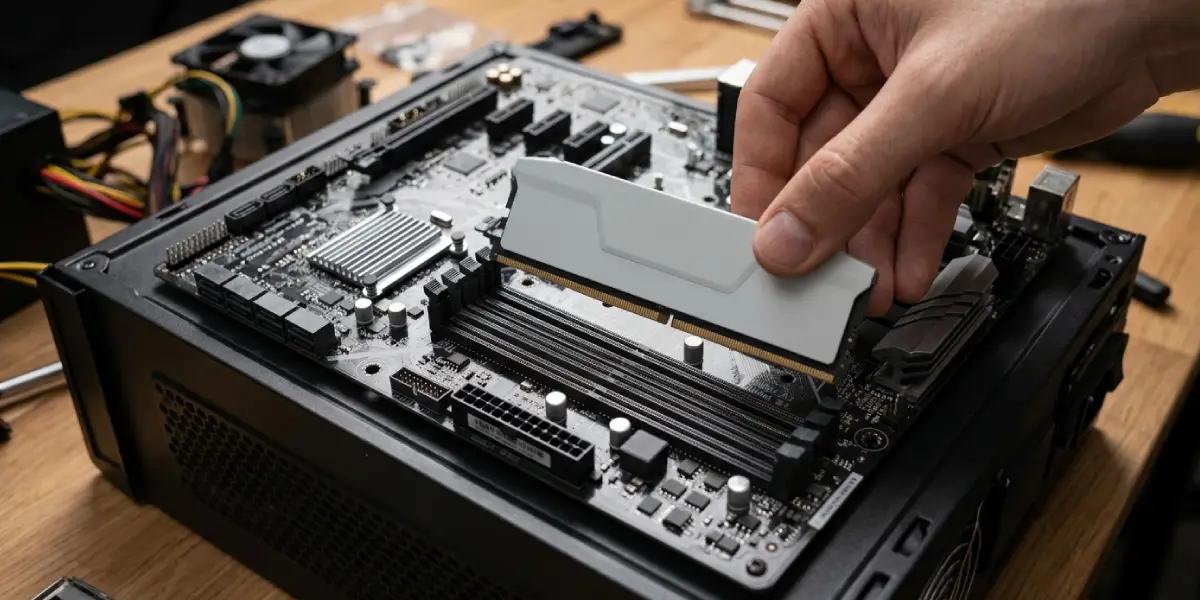
Tip: Always check the motherboard’s official specification page or manual before buying memory. The socket type (usually tied to the CPU platform) determines which RAM generation is supported, not personal preference.
How to Choose Between DDR4 and DDR5
- Step 1: Check the current motherboard or the one planned for a build, and confirm which RAM type its slots support. This information is listed in the product specifications.
- Step 2: Consider the CPU platform. Newer processor generations are typically paired with DDR5 support, while some current-generation boards still offer DDR4 options for budget-friendly builds.
- Step 3: Match the RAM to actual needs. Everyday browsing, office work, and most gaming run smoothly on either generation. Heavier workloads like video rendering, 3D modeling, or running multiple virtual machines benefit more from DDR5’s extra bandwidth.
- Step 4: Factor in upgrade path. DDR5 is the direction the industry is moving, so a DDR5 build tends to have a longer useful life before the platform becomes outdated.
- Step 5: Compare pricing at the time of purchase. DDR4 remains the more budget-friendly option for systems that already use it, while DDR5 pricing has become far more competitive as adoption has grown.
Common Problems and Fixes
New RAM Doesn’t Fit the Slot
This almost always means a DDR4 stick is being forced into a DDR5 slot or the reverse. Double-check the module’s label and compare the notch position against the motherboard manual. The fix is simply buying the correct generation for that board, since there is no adapter that makes DDR4 and DDR5 cross-compatible.
System Won’t Boot After Installing New Memory
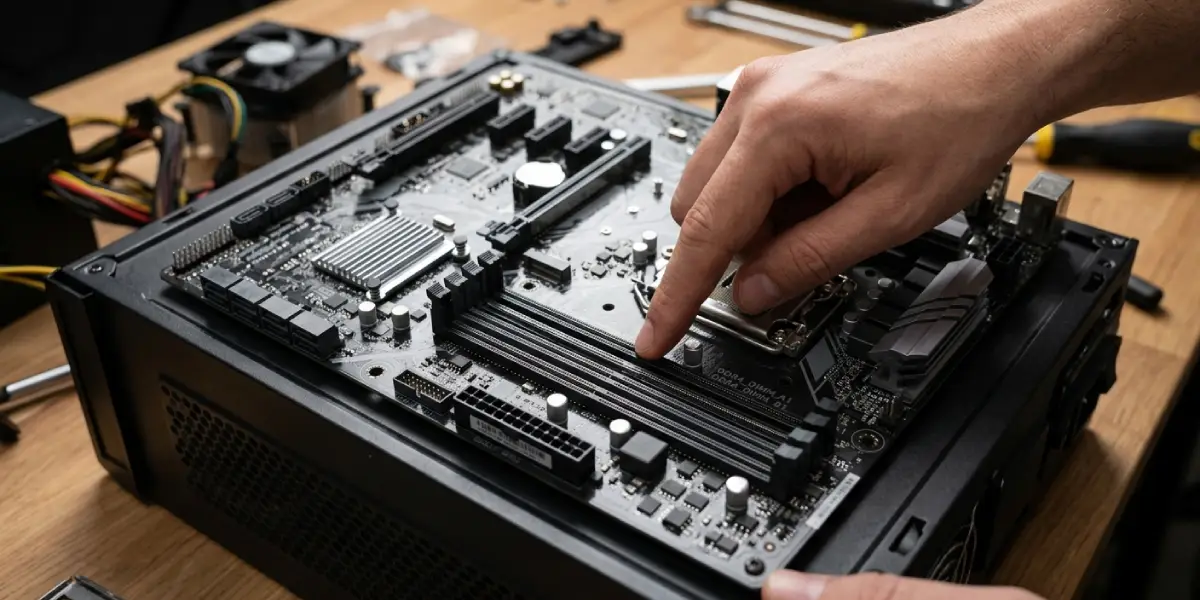
If a PC fails to boot after a RAM upgrade, reseat the modules firmly until the clips lock into place, and confirm the sticks are installed in the correct slots as shown in the motherboard manual (often paired slots for dual-channel mode). Also confirm the BIOS has been updated, since some boards need a firmware update to properly recognize newer DDR5 kits.
RAM Runs at a Lower Speed Than Advertised
Both DDR4 and DDR5 kits often run at a default JEDEC speed until an XMP or EXPO profile is enabled in the BIOS. Without enabling that profile, the memory will run well below its rated speed. Enabling it under the BIOS overclocking or memory settings menu usually resolves this.
System Feels Unstable After Overclocking DDR5
DDR5 kits push higher speeds, which means they are more sensitive to instability when pushed past their rated specification. If crashes or blue screens appear after manually tuning RAM speed, reset to the default XMP or EXPO profile first, then reintroduce changes gradually.
Frequently Asked Questions
Is DDR5 RAM actually faster than DDR4 in real-world use?
Yes, in bandwidth-heavy tasks like content creation, large file handling, and multitasking. For basic browsing and light gaming, the difference is often less noticeable day to day.
Can DDR5 RAM be installed in a DDR4 motherboard?
No. The physical slot design, pin count, and notch position are different, so DDR5 modules will not fit into DDR4 slots or the other way around.
Is DDR4 still worth buying in 2026?
For systems already built around DDR4 platforms, yes. It remains reliable and cost-effective for everyday use, though new builds are increasingly shifting toward DDR5.
Does DDR5 use more power than DDR4?
No, DDR5 actually runs at a lower voltage than DDR4, which generally makes it more power-efficient despite its higher speeds.
Why is DDR5 RAM more expensive than DDR4?
Early DDR5 pricing was higher due to newer manufacturing processes and lower supply, but pricing has become much more competitive as adoption has grown and production has scaled up.
Do games actually benefit from DDR5 over DDR4?
Some games show measurable gains, particularly at higher frame rates or with CPU-heavy titles, but the graphics card and processor usually have a bigger impact on gaming performance than the RAM generation.
Can a laptop be upgraded from DDR4 to DDR5?
Only if the laptop’s motherboard was designed to support DDR5. Since RAM slot type is fixed by the motherboard, a DDR4 laptop cannot be converted to DDR5 through a simple memory swap.
What does on-die ECC in DDR5 actually do?
It allows the memory chip to detect and correct small internal errors automatically, improving data reliability without needing a separate ECC memory controller.
How much RAM speed difference does XMP or EXPO make?
Enabling XMP on DDR4 or EXPO on DDR5 lets the memory run at its rated speed instead of the slower default JEDEC speed, which can meaningfully improve performance in memory-sensitive tasks.
Is it safe to mix DDR4 sticks of different speeds?
It is possible, but the system will run all modules at the speed of the slowest stick. For best stability and performance, matching identical RAM kits is always the safer choice, and this applies equally to DDR5.
