
Choosing between IPS vs VA vs TN panel types comes down to matching a display’s strengths to the way it will actually be used. Each panel technology handles color, contrast, and motion differently, and none of them wins in every category. This guide breaks down what separates the three, then points to the right pick for gaming, creative work, office tasks, and movie watching.
Key Takeaways
- IPS panels deliver the most accurate colors and the widest viewing angles, making them the go-to choice for photo editing, video work, and general everyday use.
- VA panels produce the deepest blacks and highest native contrast ratio, which suits dark-room movie watching and games with lots of shadow detail.
- TN panels offer the fastest pixel response times and the lowest prices, historically favored by competitive gamers who prioritize speed over color accuracy.
- Viewing angle quality ranks IPS first, VA second, and TN last, which matters most on larger screens or when multiple people view the same display.
- Modern high-refresh IPS and VA monitors have narrowed the response-time gap that once made TN the only option for fast-paced gaming.
What Sets IPS, VA, and TN Panel Types Apart
The differences between these three panel types trace back to how the liquid crystals inside each screen are arranged and how they twist to control light. That underlying structure is what drives everything else: color, contrast, viewing angle, and speed.
IPS (In-Plane Switching)
IPS panels arrange liquid crystals parallel to the screen’s surface, which keeps colors looking consistent even when viewed from the side. This is why IPS remains the standard recommendation for anyone who cares about accurate, stable color reproduction. The tradeoff shows up in contrast, since IPS panels typically cannot produce blacks as deep as VA panels, and in some models, a faint glow can appear in dark scenes, often called IPS glow.
VA (Vertical Alignment)
VA panels align crystals vertically, which lets them block more backlight when a pixel needs to be dark. That structure is exactly why VA panels post the highest native contrast ratios of the three types, producing blacks that look genuinely black rather than dark gray. The compromise is response time and viewing angle. Fast-moving content can show some smearing on budget VA panels, and colors can shift slightly when viewed off-center.
TN (Twisted Nematic)
TN is the oldest and simplest of the three technologies, and that simplicity is what makes it cheap to manufacture and fast to respond. TN panels have long been the default for entry-level monitors and budget laptops, and for years they were the only realistic option for very high refresh rates. The downside is color accuracy and viewing angle, both of which are noticeably weaker than IPS or VA, especially when looking at the screen from above or below.
Tip: A quick way to sense the difference in person is to tilt a laptop screen forward and back. A TN panel will wash out or invert colors almost immediately, while an IPS panel holds its color much longer.
Which Panel Type Fits Which Use Case
Matching the panel to the actual task avoids paying for strengths that will not be noticed, or missing out on strengths that are needed daily.
Gaming
Competitive, fast-paced titles benefit most from low response times and high refresh rates, which historically pointed straight to TN. That said, current-generation IPS and VA monitors with high refresh rates have closed much of that gap, so a gamer who also wants better color for streaming or content creation can now get both without settling for a TN panel.
Content Creation and Photo Editing
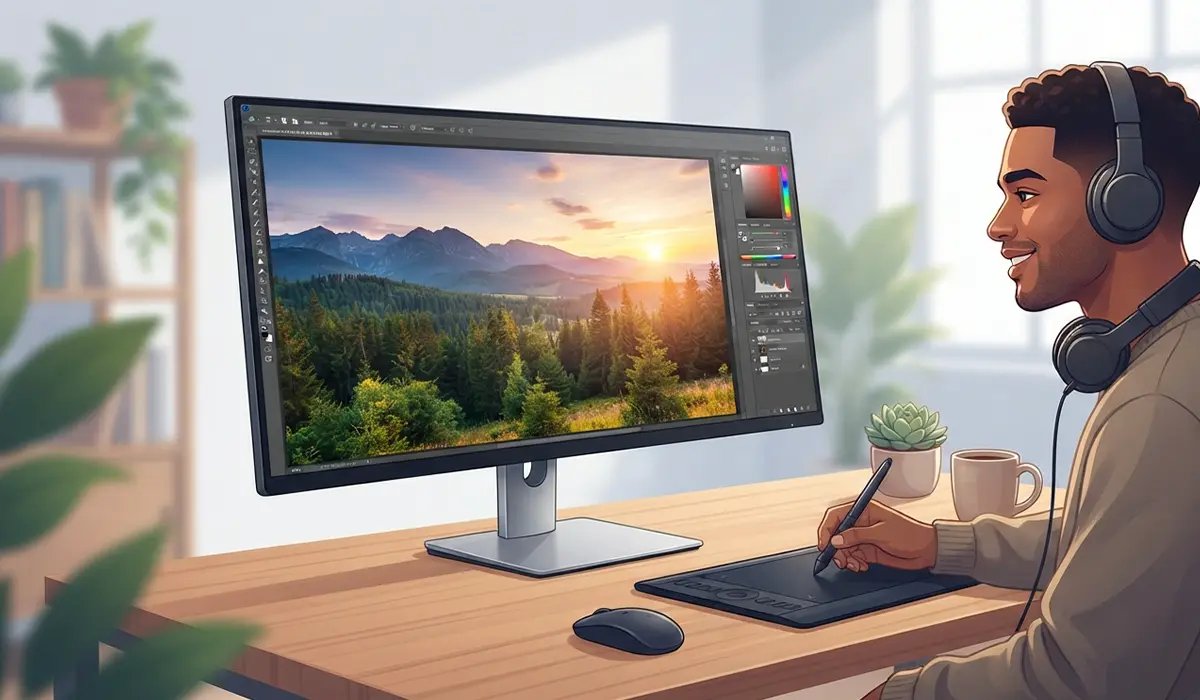
Anyone editing photos, grading video, or doing design work should lean toward IPS. Consistent color across the whole screen, combined with wide viewing angles, makes it far easier to trust what is on screen when accuracy matters for the finished product.
General Office and Everyday Use
For browsing, documents, spreadsheets, and video calls, panel choice matters less, and IPS is usually the safer all-around pick simply because of its comfortable viewing angles when a laptop is shared or a monitor is viewed from an angle.

Movies and Dark-Room Viewing
VA panels tend to shine here. Deep native blacks make a real difference in a darkened room, and most movie and streaming content is not fast-motion enough to expose VA’s weaker response time.
How to Check Which Panel Type a Display Uses
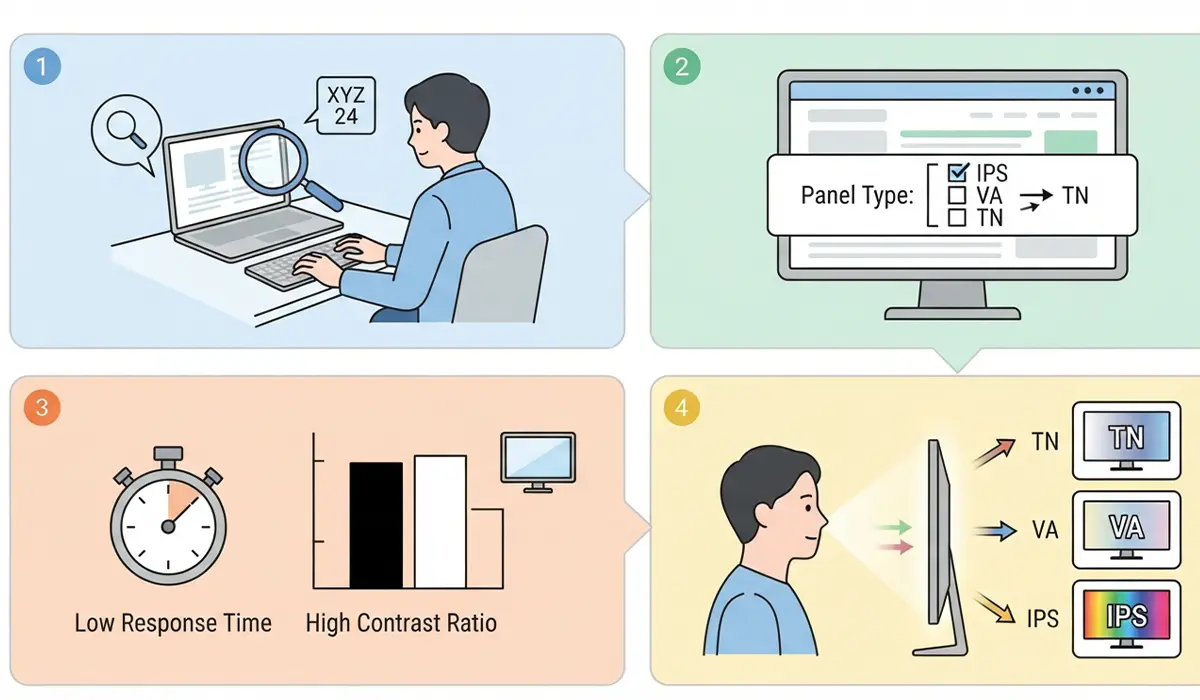
- Step 1: Search the exact monitor or laptop model number along with the word ‘specifications’ to find the manufacturer’s product page.
- Step 2: Look for a ‘Panel Type’ or ‘Display Type’ field, which will list IPS, VA, or TN directly.
- Step 3: If the spec sheet is vague, check the response time and contrast ratio figures instead. A high native contrast ratio points to VA, while a very low response time on a budget model often points to TN.
- Step 4: As a practical check, view the screen from a sharp side angle. Strong color shift and washout suggest TN, mild shift suggests VA, and little to no shift suggests IPS.
Common Problems and Fixes
Certain complaints tend to follow specific panel types, and knowing which is which helps set the right expectations.
Washed-out colors from an angle: This is expected behavior on a TN panel and is not a defect. Switching to an IPS or VA display is the only real fix if this is a dealbreaker.
A visible glow in dark scenes on an IPS monitor: Often called IPS glow, this is a byproduct of the panel technology rather than a fault. Dimming the backlight slightly and avoiding pure black backgrounds in dark rooms reduces how noticeable it looks.
Smearing or ghosting during fast motion on a VA panel: This points to slower pixel response time. Turning on the monitor’s overdrive or response-time enhancement setting in the on-screen menu, if available, often improves this without other side effects.
Colors look different between two monitors of the same brand: This usually means the two displays use different panel types or different factory calibrations. Checking each monitor’s listed panel type explains the mismatch, and manual calibration can bring them closer together.
Frequently Asked Questions
Which is better, IPS, VA, or TN?
None of the three is universally better. IPS wins on color and viewing angle, VA wins on contrast, and TN wins on price and, for older models, response time. The right choice depends on the primary use case.
Is IPS worth the extra cost over TN?
For anyone doing color-sensitive work, sharing a screen with others, or simply wanting a more comfortable viewing experience, the extra cost of IPS is usually worth it. For a basic secondary monitor with a tight budget, TN can still be a reasonable choice.
Do VA panels have bad viewing angles?
VA panels sit between IPS and TN on viewing angle quality. They are noticeably better than TN but not quite as consistent as IPS, particularly on larger screen sizes.
Is TN panel technology outdated?
TN is older technology, but it still has a place in budget monitors and laptops where cost matters more than color accuracy or viewing angle.
Can a TN panel have a high refresh rate?
Yes, TN panels have long been paired with high refresh rates because the technology responds quickly. However, current IPS and VA panels are increasingly available at high refresh rates as well.
Which panel type is best for color-accurate work?
IPS is the standard recommendation for photo editing, video editing, and design work because it maintains consistent color across the screen and from different viewing angles.
Why do blacks look gray on some monitors?
This is typically a sign of lower native contrast, which is more common on IPS and TN panels. VA panels are built specifically to produce deeper, more convincing blacks.
Does panel type affect a laptop’s battery life?
Panel type has some influence, since backlighting and pixel structure differ between IPS, VA, and TN, but resolution, brightness setting, and overall screen size usually have a bigger effect on battery life.
How can panel type be identified without opening the device?
Checking the manufacturer’s listed specifications for the exact model number is the most reliable method, since panel type is rarely visible from the outside of a laptop or monitor.
Is there a fourth panel type worth knowing about?
OLED is a separate technology from IPS, VA, and TN, using self-lit pixels instead of a backlight. It offers extremely high contrast but works on different principles and comes with its own set of tradeoffs.
