
The liquid cooling vs air cooling debate comes down to one question: how much heat does your CPU actually produce, and how much space does your case give you to get rid of it? Both approaches move heat from the processor to the air outside the case. They simply take different routes to get there.
Key Takeaways
- A quality dual-tower air cooler handles most mainstream CPUs comfortably, costs less, and has no pump to fail.
- An all-in-one (AIO) liquid cooler earns its place on high-wattage, hot-running CPUs and in cases where a tall heatsink will not fit.
- Liquid cooling is not automatically quieter; noise depends on fan quality, radiator size, and pump speed, not on the cooling method itself.
- Air coolers usually outlive liquid coolers because a sealed pump and coolant have a finite service life.
- Case airflow decides the outcome for both types, since every cooler dumps its heat into the same box.
The Short Answer: Liquid Cooling vs Air Cooling for Most Builds
For the majority of desktop builds, a well-made tower air cooler is the sensible default. It is cheaper, simpler, quieter over its lifetime, and it fails gracefully rather than suddenly. Liquid cooling becomes the better choice when the CPU runs hot under sustained load, when clearance is tight, or when the build needs heat pushed straight out of the case through a radiator.
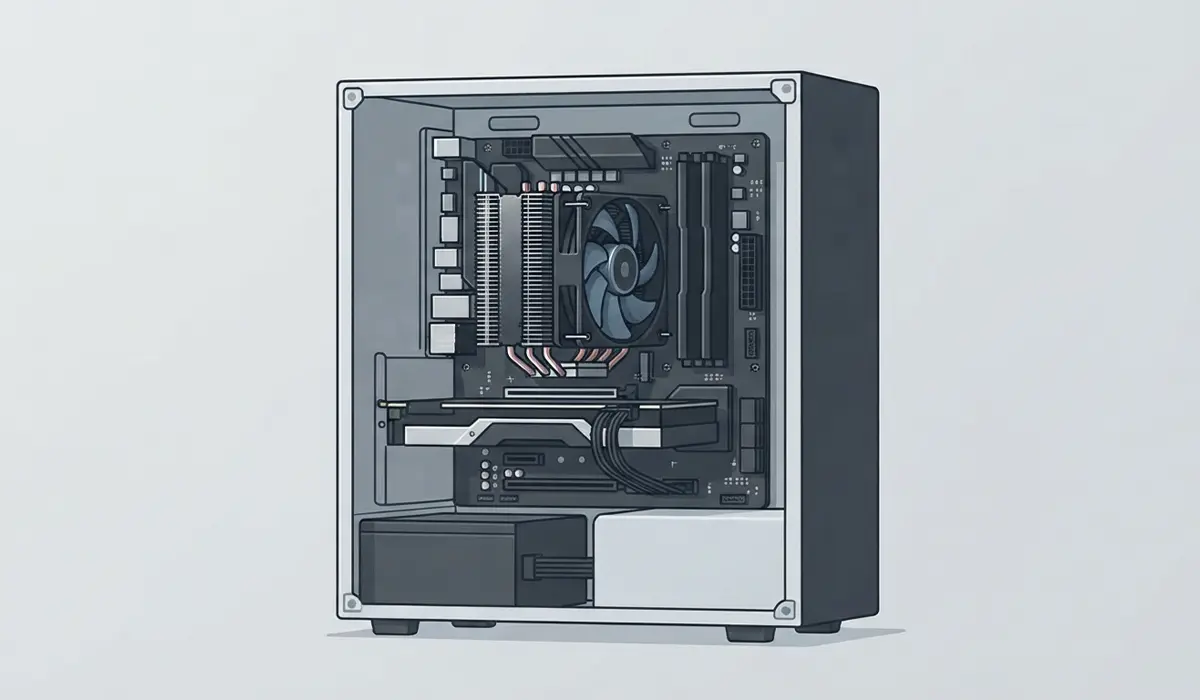
Choose Air Cooling If
- The CPU is a mainstream desktop chip rather than a top-tier enthusiast part.
- Long-term reliability matters more than looks, which is usually the case in work machines and home servers.
- The build should stay as simple as possible, with fewer parts that can fail.
- Budget is tight and the money is better spent on a GPU, more RAM, or faster storage.
Choose Liquid Cooling If
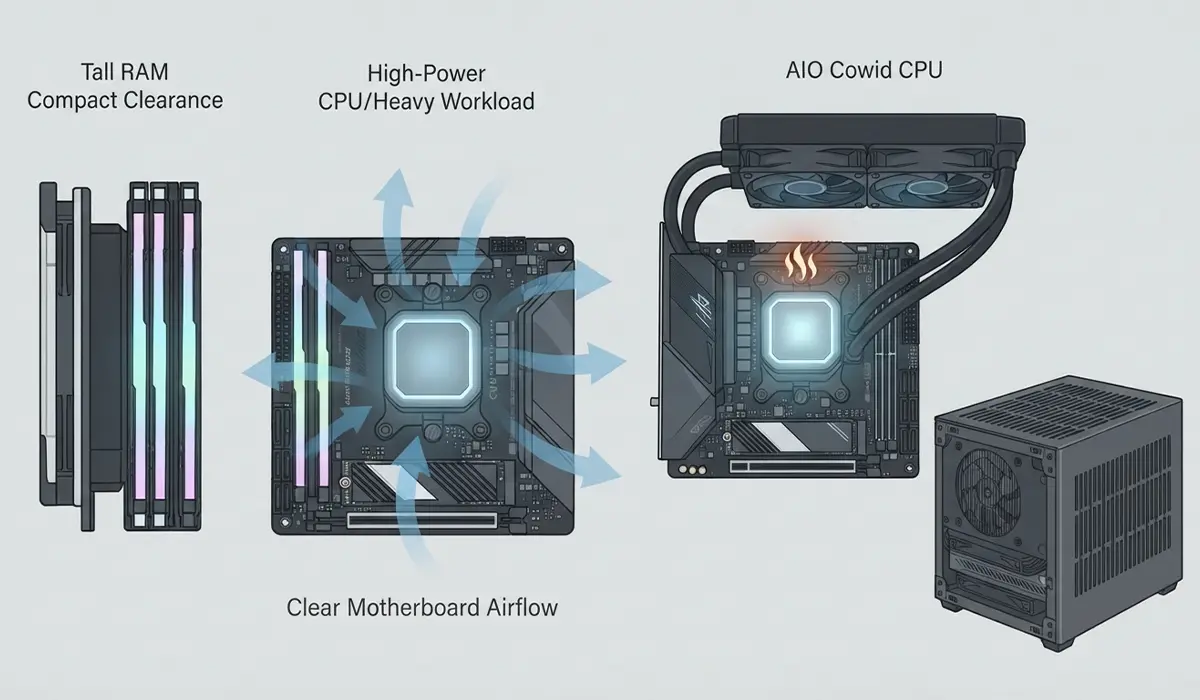
- The CPU is a high-core-count or high-power chip that pulls a lot of wattage during long renders, compiles, or encodes.
- Tall RAM or a compact case leaves no room for a large heatsink.
- The motherboard area needs to stay clear for airflow to VRMs, M.2 drives, and memory.
- The build is going in a small form factor case that supports a radiator but not a full tower cooler.
How Each Cooling Type Actually Works
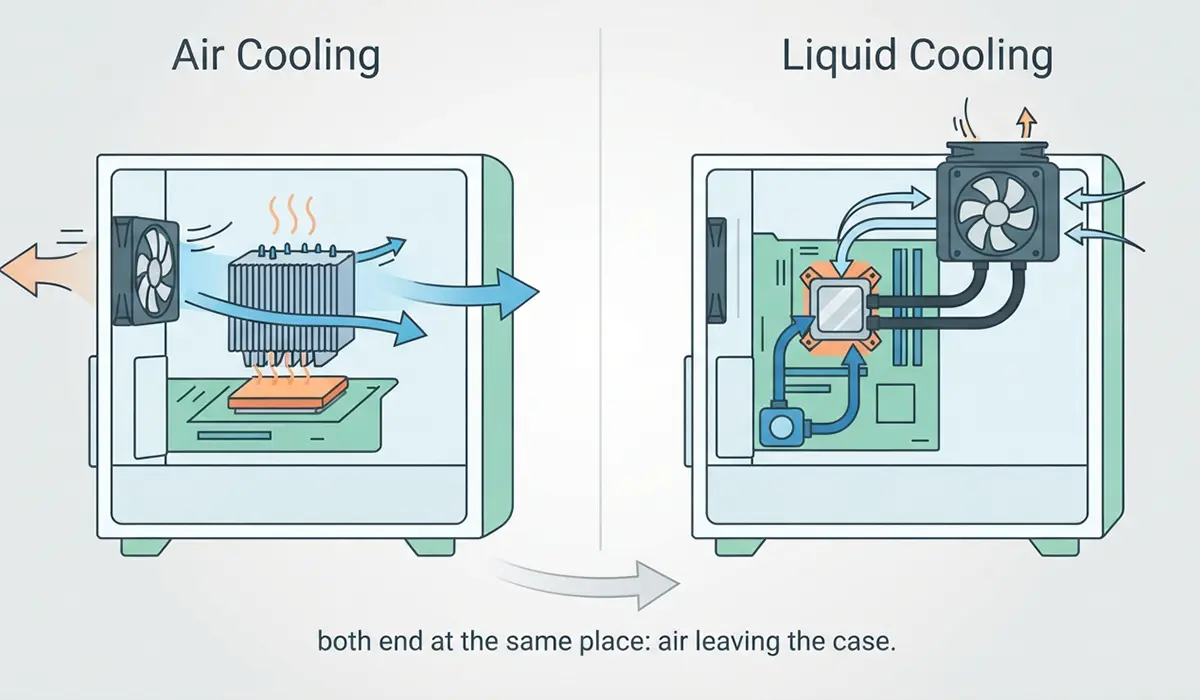
Understanding the mechanism makes the trade-offs obvious. Both designs are heat pumps of a sort, and both end at the same place: air leaving the case.
Air Cooling
A tower air cooler presses a copper baseplate against the CPU. Heat pipes carry that heat upward into a stack of thin aluminium fins, and a fan pushes air across the fins to carry it away. There are no moving parts other than the fan. That simplicity is the whole appeal.
All-in-One Liquid Cooling
An AIO uses a small pump and coldplate sitting on the CPU, sealed tubes filled with coolant, and a radiator mounted to the case with fans attached. The coolant absorbs heat at the CPU and releases it at the radiator. Think of it as a very small car cooling system, prefilled and sealed at the factory.
Custom Loops
Custom water cooling uses separate blocks, a reservoir, a standalone pump, fittings, and tubing that the builder assembles. Performance can be excellent and a loop can cool a GPU as well, but it demands planning, periodic maintenance, and a real tolerance for risk. For most people this is a hobby project rather than a cooling solution.
Liquid Cooling vs Air Cooling: The Practical Differences
Thermal Performance
Under short bursts, the two are closer than marketing suggests. A large air cooler has a lot of metal mass that soaks up spikes well. Under long, sustained load the radiator starts to show its advantage, because it presents far more surface area to the air and sits directly at an exhaust point. The size of the radiator matters more than the brand name on it. Both types fail the same way in a suffocating case, so case airflow deserves as much attention as the cooler itself.
Noise
Fans make most of the noise in either setup. An AIO adds a pump, which contributes a low hum and sometimes a faint gurgle in the first few days while trapped air settles. Air coolers avoid that entirely. Most people find that a large air cooler running at low fan speed is the quietest option overall, while a large radiator with slow fans comes very close.
Lifespan and Reliability
This is where air cooling wins cleanly. A heatsink lasts as long as the metal does, and a worn fan costs very little to replace. An AIO has a pump with bearings, plus coolant that slowly permeates through the tubing over the years. When a pump stops, CPU temperatures climb fast and the system may shut down to protect itself. Leaks are rare in reputable sealed units, but the possibility never quite reaches zero.
Clearance and Fit
Tall air coolers collide with tall RAM heatspreaders and with side panels in slim cases. Radiators have their own constraints: thickness plus fan height must clear the motherboard, and the case must have mounting points that actually match the radiator length. Measuring first prevents the most common build-day disappointment.
Cost and Maintenance
Air costs less up front and asks for almost nothing afterwards beyond an occasional dust clean. An AIO costs more and eventually needs replacing as a whole unit. Custom loops sit far above both in cost and in ongoing attention, with coolant changes and fitting checks as routine chores.
Tip: put the saved money from an air cooler toward better case fans instead. Improving intake and exhaust lowers temperatures across the whole system, not just the CPU.
Before You Start
Installing or swapping a cooler means working inside a live-adjacent machine, so a few minutes of prep prevents most accidents.
- Shut the PC down fully, switch off the power supply, and unplug the mains cable.
- Press the power button once after unplugging to drain residual charge.
- Let the system cool for several minutes if it was under load, since the heatsink and VRM area stay hot.
- Discharge static by touching bare metal on the case frame, or wear an anti-static wrist strap.
- Lay the case on its side on a flat surface so the cooler mounts evenly and nothing tips.
Tools and materials worth having ready: a Phillips screwdriver with a magnetic tip, isopropyl alcohol at 90 percent or higher, lint-free cloths or coffee filters, fresh thermal paste, a soft brush, and compressed air for dust. Skip water, paper towels, and metal tools near the socket area.
If the CPU socket pins look bent, or the motherboard shows damage, stop and let a technician handle it. Opening a prebuilt desktop can also affect its warranty, so check the terms before removing the stock cooler.
How to Choose and Fit the Right Cooler
- Step 1: Identify the exact CPU model and look up its rated power draw on the manufacturer site. A chip designed for low wattage does not need a radiator.
- Step 2: Check the case specification for maximum CPU cooler height and for supported radiator sizes at the top and front. These numbers are published by every reputable case maker.
- Step 3: Measure RAM height if the build uses modules with tall heatspreaders. Dual-tower air coolers often need the front fan raised, which eats into clearance.
- Step 4: Decide based on the real workload. Gaming loads come in bursts, while rendering and compiling run flat out for hours and reward a radiator.
- Step 5: Confirm socket compatibility and that the correct mounting bracket is included. Many coolers ship with brackets for several sockets, but not always the newest one.
- Step 6: Clean the old paste off the CPU lid with isopropyl alcohol and a lint-free cloth, then apply a fresh pea-sized dot in the centre before mounting the new cooler.
- Step 7: Tighten the mounting screws in a cross pattern, a few turns at a time, so pressure spreads evenly across the contact surface.
- Step 8: Connect the pump header to the dedicated CPU pump or AIO pump port if fitting a liquid cooler, and connect the radiator fans to the CPU fan headers.
- Step 9: Boot into the BIOS and confirm the pump and fan speeds register before loading the operating system.
Radiator Mounting Notes
Mounting a radiator at the top of the case as exhaust works well and keeps the pump below the highest point of the loop. If the only option is a front mount, orient the unit so the tubes enter at the bottom of the radiator. Trapped air then collects away from the pump, which keeps noise down and reduces strain over time.
Tips for Getting the Most From Either Cooler
- Build a gentle fan curve rather than leaving fans on a fixed speed. Ramping gradually keeps noise low without sacrificing peak cooling.
- Keep intake and exhaust roughly balanced, with a slight positive pressure to limit dust entering through gaps.
- Clean dust filters and fin stacks every few months. A clogged fin stack strangles a good cooler faster than anything else.
- Reapply thermal paste when temperatures creep up over a year or two, or any time the cooler comes off the CPU.
- Route AIO tubing so it is not kinked or under tension, since a pinched tube restricts flow.
- Do not chase the lowest possible idle temperature. Load temperatures under sustained work tell the real story.
Common Problems and Fixes
Temperatures Are Worse After Swapping Coolers
Uneven mounting pressure is the usual culprit. Remove the cooler, check that paste spread evenly across the CPU lid, clean both surfaces, reapply, and retighten in a cross pattern. A protective film left on the coldplate is another classic oversight.
The AIO Pump Makes a Gurgling Noise
Some air movement in a new unit is normal and usually settles within a few days. If it persists, check the mounting orientation so the pump is not the highest point in the loop. Gentle tilting of the case while powered on helps trapped air migrate toward the radiator.
CPU Temperature Spikes Instantly Under Load
Check that the pump header reports a speed in the BIOS. A stopped pump produces this exact symptom. On an air cooler, confirm the fan spins and that the heat pipes feel warm shortly after load starts, which indicates good contact.
The Cooler Will Not Fit
Tall RAM, a narrow side panel, or a radiator that fouls the motherboard VRM heatsink all cause this. Lower-profile memory solves many air cooler conflicts. For radiators, moving from a front mount to a top mount, or choosing a shorter unit, usually resolves the clash.
Fans Run Loud Constantly
A fan plugged into a header set to full speed will never throttle down. Move the connection to a proper CPU or system fan header and configure a curve in the BIOS. Also verify that the radiator or fin stack is not caked in dust.
The PC Will Not Boot After Installation
Nine times out of ten, a cable came loose during the work. Check the CPU 8-pin power connector, the front panel header, and the RAM seating. Disconnecting a cooler rarely damages anything, but the fumbling around it often unseats something nearby.
Frequently Asked Questions
Is liquid cooling better than air cooling?
Not universally. Liquid cooling handles sustained high heat loads better and frees up space around the socket, while air cooling wins on simplicity, cost, and lifespan. The right answer depends on the CPU, the case, and the workload.
Do AIO liquid coolers leak?
Sealed units from established brands rarely leak, since they are filled and pressure tested at the factory. The risk is low but not zero, which is why custom loops carry more risk than an AIO and an AIO carries more risk than a heatsink.
How long does an AIO liquid cooler last?
Manufacturers generally rate pumps for several years of continuous use, and most units are replaced rather than repaired when the pump fails. An air cooler, by contrast, keeps working indefinitely as long as its fan is replaced when needed.
Is liquid cooling quieter than air cooling?
Not by default. Radiator fans plus a pump can easily be louder than one large heatsink fan turning slowly. Quiet operation comes from good fans, a large cooling surface, and a sensible fan curve, regardless of cooling type.
Where should an AIO radiator be mounted?
A top mount set as exhaust is the safest and most common choice, because it keeps the pump below the top of the loop and sends hot air straight out. A front mount works too, provided the tubes connect at the bottom of the radiator.
Does liquid cooling improve GPU temperatures?
Only indirectly with a CPU AIO, by removing the heatsink that would otherwise recirculate warm air near the motherboard. Cooling the GPU itself with liquid requires either a custom loop with a GPU block or a card sold with its own AIO attached.
Do liquid coolers need refilling or maintenance?
Sealed AIOs are not designed to be refilled and need nothing beyond dusting the radiator and fans. Custom loops are the opposite and need periodic coolant changes, fitting checks, and block cleaning.
Can a heavy air cooler damage a motherboard?
Properly mounted coolers using the supplied backplate spread load safely. Problems arise mainly when a tower cooler stays fitted while a case is shipped or moved roughly, so removing a large heatsink before transporting a PC is wise.
Is a bigger radiator always better?
More radiator surface area gives fans an easier job, which means lower speeds and less noise at the same temperature. The practical limit is what the case supports, so a smaller radiator that fits well beats a larger one crammed into an awkward spot.
